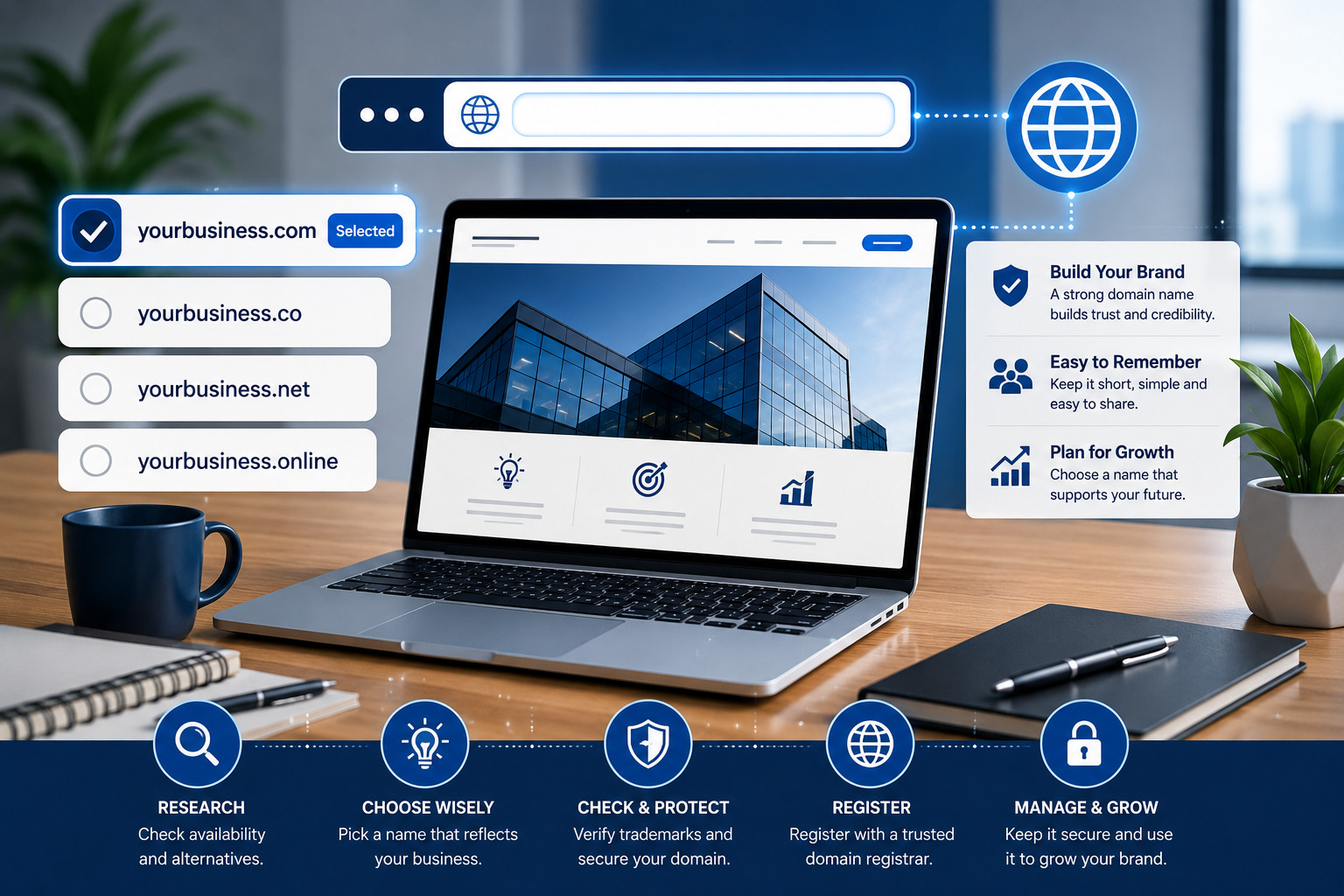

Learning how to choose the right domain name is one of the most important early decisions when creating a business website. Your domain becomes part of your brand, appears in your marketing materials and gives customers the address they use to find you online.
A good domain name should be memorable, professional, easy to spell and suitable for the long-term direction of your business. A poor choice can create confusion, make your website harder to promote or force you to rebrand later.
This guide explains how to choose a domain name for your business website, what to avoid, how domain extensions work and what to check before completing your registration.
Quick answer
Choose a domain name that is short, easy to pronounce, easy to spell, relevant to your brand and flexible enough for future growth. Avoid confusing numbers, unnecessary hyphens, trademark conflicts and names that are too similar to existing businesses.
Why Your Domain Name Matters
Your domain name is more than a technical website address. It is part of how people recognise, remember and trust your business online.
A strong domain name can help you:
- Build a recognisable brand
- Look more professional
- Make your website easier to remember
- Create branded email addresses
- Promote your business offline and online
- Make links easier to share
- Reduce confusion with competitors
- Support long-term marketing efforts
For example, a branded address such as yourbusiness.com looks more trustworthy than a free platform address such as yourbusiness.freeplatform.example.
Your domain may also appear on:
- Business cards
- Invoices
- Social-media profiles
- Advertisements
- Product packaging
- Email signatures
- Vehicle branding
- Storefront signs
Because it may remain connected to your business for many years, the domain should be chosen carefully.
Understanding Domain-Name Structure
A domain name can include several parts.
For example:
blog.yourbusiness.com
- blog is the subdomain.
- yourbusiness is the main registered name.
- .com is the domain extension or top-level domain.
When choosing a business domain, your main decisions are usually:
- The registered name
- The domain extension
- Whether you need subdomains later
The main name should normally reflect your business, product, service or brand.
Use Your Business or Brand Name
In most cases, the strongest domain is your actual business or brand name.
For example, if your business is called Sunrise Cleaning Services, suitable options may include:
sunrisecleaning.comsunrisecleaningservices.comsunrisecleaning.co.uk
Using your brand name creates consistency between your website, social-media profiles, invoices and other marketing materials.
What if the exact brand name is unavailable?
You may consider adding a clear, relevant word such as:
- Services
- Studio
- Agency
- Group
- Shop
- Online
- Digital
- Solutions
- Consulting
Choose a modifier that accurately represents the business. Avoid adding random words merely because the domain is available.
Keep the Domain Short and Memorable
Shorter domain names are generally easier to remember, type and share.
A long domain may create problems such as:
- Typing errors
- Difficulty fitting it on printed materials
- Confusing email addresses
- Poor memorability
- Awkward social-media sharing
However, do not shorten the name so aggressively that it becomes confusing or meaningless.
Find the right balance
A domain should be as short as practical while still being understandable and connected to the brand.
| Better option | Possible problem |
|---|---|
| brightcare.com | brightprofessionalhealthcareservices.com is too long |
| oakdesignstudio.com | ods247online.com may be unclear |
| greenleafconsulting.com | green-leaf-best-consulting-services.com is difficult to remember |
Make It Easy to Spell and Pronounce
A domain name should be easy to understand when spoken aloud.
Imagine telling someone your website address during:
- A phone call
- A networking event
- A radio advertisement
- A podcast interview
- An in-person meeting
If you constantly need to explain the spelling, the domain may be too complicated.
Avoid confusing spelling
Be careful with:
- Unusual abbreviations
- Repeated letters
- Words with multiple common spellings
- Intentional misspellings
- Words that sound alike
- Unclear abbreviations
For example, replacing “creative” with “kreativ” may look unusual but can make the domain harder for customers to remember correctly.
Should Your Domain Name Contain Keywords?
A keyword describes the product, service or topic connected to your website.
Examples include:
- Cleaning
- Photography
- Consulting
- Fashion
- Hosting
- Courses
- Travel
Including a relevant keyword can help customers understand what the business does.
Examples:
oaklandscleaning.combrightpathconsulting.comcoastaltravelgroup.com
Do not force keywords into the domain
A domain does not need to contain every service, location and target keyword.
A name such as:
bestaffordableprofessionalwebsitedesignersinlondon.com
looks unnatural, is difficult to remember and can make the business appear less credible.
Prioritise branding and usability over keyword stuffing.
Choose the Right Domain Extension
The extension is the ending of the domain, such as:
- .com
- .org
- .net
- .co
- .store
- .online
- .agency
- .ng
- .com.ng
- .co.uk
.com
The .com extension remains one of the most familiar and widely recognised options for businesses.
It can be a strong choice when:
- Your business serves an international audience
- You want a familiar extension
- The exact brand name is available
- You want room for future expansion
Industry-specific extensions
Extensions such as .store, .agency, .tech or .online can sometimes work well, but they may be less familiar to some customers.
Use them when they fit naturally with your brand and are easy to communicate.
Non-profit extensions
The .org extension is commonly associated with organisations, charities and communities, although registration rules may vary.
Should You Use a Country-Code Domain?
Country-code extensions can communicate that a business serves a specific country.
Examples include:
- .ng for Nigeria
- .com.ng for Nigerian commercial websites
- .co.uk for the United Kingdom
- .ca for Canada
- .au for Australia
Advantages of a local extension
- Signals local relevance
- May increase trust among local customers
- Can help distinguish a local branch
- May offer availability when the .com is taken
Possible disadvantages
- May appear geographically limited
- Can be less suitable for international expansion
- Some extensions have registration requirements
- Customers may automatically type .com
Choose a local domain when the business is clearly focused on one market. Choose a broader extension when you expect to serve several countries.
Avoid Numbers and Unnecessary Hyphens
Hyphens
Hyphens can make a domain harder to explain and remember.
For example, when saying bright-star-media.com, you must explain where the hyphens appear.
A domain without hyphens is usually simpler:
brightstarmedia.com
Numbers
Numbers can create uncertainty.
For example, visitors may not know whether:
fourstarservices.com
should be written as:
4starservices.com
Numbers may still work when they are an established part of the brand, but they should not be added unnecessarily.
Plan for Future Business Growth
Your current service may not be the only service you offer in the future.
For example, a company that begins with logo design may later offer:
- Website design
- Social-media management
- Brand strategy
- Content creation
- Digital marketing
A domain such as quicklogodesign.com may become restrictive if the business expands.
A broader brand name such as quickcreative.com gives the company more flexibility.
Avoid overly narrow locations
A city-based domain may become limiting if the business expands nationally or internationally.
For example:
akurewebdesign.com
may work for a strongly local service, but a broader brand domain may be better if you plan to serve international clients.
Check Trademarks and Existing Brands
Before registering a domain, check whether the name conflicts with an existing trademark or established business.
You should search:
- Social-media platforms
- Business directories
- Company-registration databases
- Trademark databases
- Domain-registration records
Using a name that is too similar to another brand can cause:
- Legal complaints
- Customer confusion
- Loss of the domain
- Forced rebranding
- Advertising restrictions
Important
Domain availability does not automatically mean the name is legally safe to use. A domain registrar may allow registration even when the name conflicts with an existing trademark.
Check Social-Media Username Availability
Consistency across your website and social-media profiles makes your brand easier to recognise.
Before registering the domain, check whether similar usernames are available on platforms relevant to your business, such as:
- TikTok
- YouTube
- X
The usernames do not have to match the domain perfectly, but they should be close enough to avoid confusion.
For example:
- Domain:
brightpathmedia.com - Instagram:
@brightpathmedia - Facebook:
facebook.com/brightpathmedia
Check the Domain’s Previous History
A domain may have been registered and used by someone else before becoming available again.
Its previous history could include:
- Spam
- Malware
- Adult content
- Fake products
- Low-quality link building
- Copyright infringement
- Unrelated businesses
Before buying an expired or previously used domain, check:
- Past website snapshots
- Search-engine results
- Existing backlinks
- Spam reports
- Security blocklists
- Previous brand associations
A clean domain history reduces the risk of inheriting another website’s reputation problems.
Review Registration and Renewal Prices
Do not judge a domain only by its first-year price.
Some registrars offer discounted registration but charge a higher amount during renewal.
Check:
- Initial registration price
- Normal renewal price
- Transfer price
- Redemption or recovery fee
- Privacy-protection cost
- Email or hosting add-ons
- Currency and tax charges
Premium domains
Some short or highly desirable domains are sold at premium prices.
A premium domain may cost significantly more than a standard registration and may also have a higher renewal cost.
Only pay a premium price when the name has clear commercial value for your business.
Choose a Reliable Domain Registrar
A domain registrar is the company that manages the registration of your domain.
Choose a provider offering:
- Clear renewal pricing
- Easy DNS management
- Two-factor authentication
- Domain-locking features
- Reliable customer support
- Transfer support
- Privacy protection
- Automatic renewal
- Account-recovery options
Avoid choosing a registrar only because it offers the lowest introductory price.
Keep the domain in your own account
Your domain should be registered under an account you or your business controls.
A developer may help with setup, but they should not be the only person with access to the domain.
Protect Your Domain Name
After registering the domain, protect it properly.
Enable automatic renewal
Automatic renewal reduces the risk of accidentally losing the domain when the registration expires.
Use two-factor authentication
Two-factor authentication adds an additional security step beyond your password.
Use a strong password
Do not reuse the same password across your domain, hosting and email accounts.
Keep contact information current
Your registrar may send renewal, verification and security notices to the account email address.
Enable domain lock
A domain lock helps prevent unauthorised transfers.
Protect your account email
The email connected to the domain account should also use a strong password and two-factor authentication.
Domain-Name Selection Checklist
Brand checklist
- Matches the business name
- Easy to pronounce
- Easy to spell
- Short enough to remember
- Suitable for future growth
- Not confusingly similar to another brand
Technical checklist
- Appropriate extension
- No unnecessary hyphens
- No confusing numbers
- Clean domain history
- Reasonable renewal price
- Reliable registrar
Marketing checklist
- Looks professional
- Fits on business materials
- Easy to share verbally
- Social usernames are available
- Relevant to the target market
- Works for branded email
Final Recommendation
Knowing how to choose the right domain name can save your business from unnecessary rebranding, customer confusion and technical problems later.
The best domain is usually your brand name or a clear variation of it. It should be easy to remember, easy to spell and suitable for your future plans.
Choose an appropriate extension, compare renewal costs, check trademarks and review the domain’s previous history before registering it.
Once purchased, keep the domain in an account you control, enable automatic renewal and protect the account with two-factor authentication.
Best practice
Choose a brand-friendly domain first. Add a relevant service word only when it improves clarity. Avoid forcing too many keywords, locations or descriptive phrases into the domain.
Frequently Asked Questions
What makes a good business domain name?
A good business domain name is short, memorable, easy to spell, easy to pronounce and closely connected to the brand.
Should my domain name match my business name?
Ideally, yes. A matching domain creates brand consistency and makes the website easier for customers to recognise.
Is .com always the best domain extension?
.com is widely recognised, but a local or industry-specific extension may also be suitable depending on your audience and business model.
Should I include a keyword in my domain?
You may include one natural, relevant keyword, but avoid stuffing several service or location keywords into the domain.
Are hyphens bad in a domain name?
Hyphens are allowed, but they can make a domain harder to remember, type and explain verbally. A version without hyphens is usually better.
Should I use numbers in my domain?
Use numbers only when they are an established part of the brand. Otherwise, they may cause spelling and pronunciation confusion.
Can I change my domain name later?
Yes, but changing a domain can affect branding, email, search visibility and existing links. It is better to choose carefully from the beginning.
Should I buy several domain extensions?
Businesses sometimes register the main extension and a few common alternatives to protect the brand and redirect them to the primary website.
Can someone else register a similar domain?
Yes. Register important variations when they are strategically valuable, but avoid buying unnecessary domains without a clear reason.
How long can I register a domain for?
Registration periods vary by extension and registrar, but many domains can be registered for one or several years.
What happens if I forget to renew my domain?
Your website and branded email may stop working. After the available renewal and recovery periods, the domain may become available to someone else.
Can I move my domain to another registrar?
Yes. Most domains can be transferred after meeting the registrar and extension requirements.
Official references
This article was prepared using current guidance from ICANN, accredited domain-registration resources, trademark authorities and Google Search Central. Domain policies, registration procedures, extensions and trademark databases can change, so review current official guidance before registering or using a business domain name.
ICANN — Domain Name Registration Process
ICANN — Accredited Registrar Directory
ICANN — Registrant Rights and Responsibilities
United States Patent and Trademark Office — Search Trademarks
World Intellectual Property Organization — Global Brand Database
Need Help Choosing or Connecting Your Domain?
Teemikemedia Agency can help you choose, register, connect and manage the right domain for your business website.