
A simple digital marketing strategy for a small business helps you decide where to focus your time, money and content so your online marketing supports real business goals instead of random posting.
Many small businesses know they should be visible online, but they struggle because they try to do everything at once: social media, SEO, email, paid ads, content creation, videos, analytics and website updates. Without a clear strategy, digital marketing becomes stressful and inconsistent.
The good news is that a small business does not need a complicated plan to start. A practical strategy can begin with a clear audience, a strong website, a few focused marketing channels, useful content, simple tracking and regular improvement.
This guide explains how to create a simple digital marketing strategy for a small business, even if you are starting with a small budget and limited time.
Quick answer
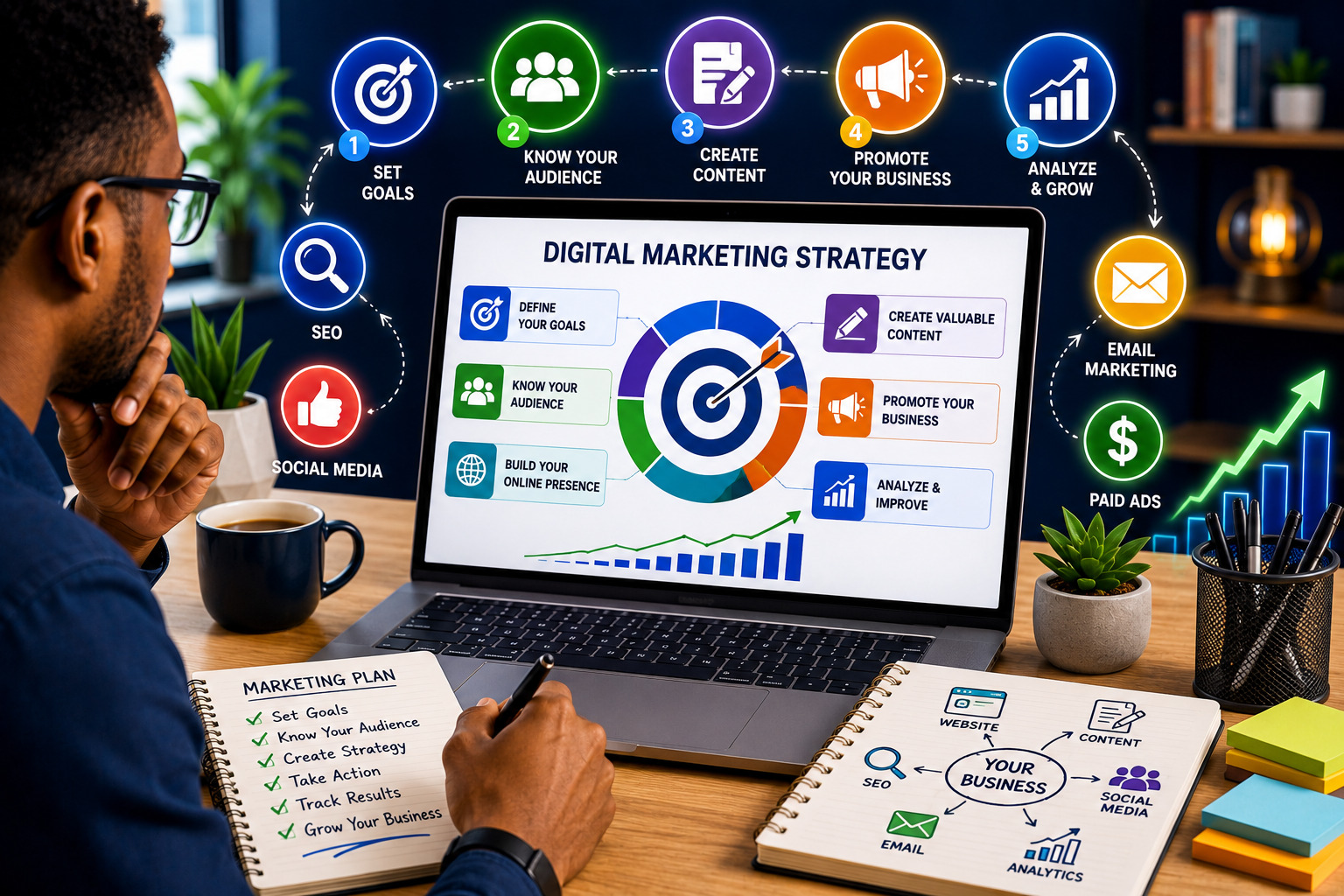
To create a simple digital marketing strategy for a small business, define your goal, understand your audience, improve your website, choose two or three main marketing channels, create helpful content, set a realistic budget, track conversions and review results every month.
Keep the strategy simple
A small business does not need to be active on every platform. It is better to be consistent on a few channels that reach the right customers than to post everywhere without a clear purpose.
What Is a Digital Marketing Strategy?
A digital marketing strategy is a plan for using online channels to attract, engage and convert customers. It connects your website, search visibility, social media, email marketing, paid campaigns and analytics to a clear business goal.
A strategy answers who you are trying to reach, what you want them to do, which channels you will use, what content you will create and how you will measure success.
Why Small Businesses Need a Digital Marketing Strategy
Small businesses usually have limited time, budget and staff. A strategy helps prevent waste and keeps your marketing focused.
- It helps you focus on the right audience.
- It helps you choose the best channels.
- It gives your content a clear purpose.
- It helps you track what is working.
- It reduces random spending on ads and tools.
1. Set Clear Marketing Goals
Start by deciding what your marketing should achieve. Your goal may be more enquiries, more bookings, more product sales, more email subscribers, better local visibility or stronger brand awareness.
Make the goal measurable. Instead of saying “get more customers,” use a goal such as “generate 20 qualified enquiries per month” or “increase consultation bookings by 30 percent.”
2. Understand Your Target Audience
Your strategy should be built around your ideal customers. Identify who they are, what problem they have, what they search for online, which platforms they use and what proof they need before buying.
A simple customer profile is enough to start. For example: “Our ideal customer is a small-business owner who wants more online enquiries but does not know which marketing channel to focus on.”
3. Review Your Website First
Your website is usually the centre of your digital marketing strategy. Before spending money on ads or content, make sure your website can convert visitors into enquiries, bookings or sales.
- Clear homepage message
- Mobile-friendly layout
- Fast loading speed
- Strong service or product pages
- Working contact forms
- Trust signals and testimonials
- Clear calls to action
- Analytics and conversion tracking
4. Choose the Right Digital Marketing Channels
A small business should not try to use every channel immediately. Choose channels based on your audience, budget, goal and ability to stay consistent.
| Channel | Best For |
|---|---|
| SEO | Long-term website traffic and search visibility |
| Content marketing | Educating customers and building trust |
| Social media | Awareness, community and engagement |
| Email marketing | Nurturing leads and retaining customers |
| Paid ads | Faster visibility and campaign testing |
| Local search | Location-based businesses and service providers |
5. Use SEO for Long-Term Visibility
SEO helps your website appear when people search for topics, services or products related to your business. Google’s SEO Starter Guide explains core search basics such as helping search engines discover, understand and display your content properly.
- Research customer search terms
- Create helpful pages and articles
- Write clear SEO titles and meta descriptions
- Use descriptive headings
- Add internal links
- Optimise images
- Improve site speed
- Monitor Search Console
6. Create Useful Content
Content helps customers understand their problem and trust your business. Start with the questions customers already ask before buying.
- How-to guides
- Comparison articles
- FAQs
- Case studies
- Checklists
- Short videos
- Email newsletters
7. Use Social Media Strategically
Social media can help build visibility, trust and community, but it should not replace your website or email list. Choose one or two platforms where your audience is active.
- Share helpful tips.
- Answer customer questions.
- Show proof and results.
- Promote blog posts and resources.
- Direct people back to your website.
8. Build an Email List
Email marketing allows you to keep in touch with people who have shown interest in your business. Build your list with a newsletter, free guide, discount, webinar, checklist or consultation form.
Keep emails useful, permission-based and relevant. Send helpful tips, new articles, offers, reminders and customer education.
9. Use Paid Ads Carefully
Paid ads can bring faster visibility, but they can waste money if your offer, targeting, landing page and tracking are weak.
- Start with one campaign goal.
- Test a small budget first.
- Use a clear landing page.
- Track leads or sales, not only clicks.
- Improve before scaling.
10. Improve Local Visibility
If your business serves a location, local visibility matters. Google provides official guidance for adding or claiming a Business Profile, which helps eligible businesses manage how they appear across Search and Maps.
- Create or claim your Google Business Profile.
- Keep contact details accurate.
- Add business hours and services.
- Upload quality photos.
- Collect genuine customer reviews.
- Reply to reviews professionally.
11. Create a Realistic Digital Marketing Budget
Your budget should match your goals and stage of business. It may include website improvements, SEO tools, content creation, graphics, email software, paid ads, analytics tools and professional support.
If the website is weak, improve it first. If the website is strong but traffic is low, invest in SEO, content or ads.
12. Build a Simple Content Calendar
A content calendar helps you stay consistent. A basic monthly plan can include two blog posts, four educational social posts, two promotional posts, one email newsletter and one customer story.
Repurpose content. A blog post can become social posts, email content, short videos and FAQ answers.
13. Track Results and Conversions
Tracking helps you know whether your marketing is working. Google Analytics uses events to measure user interactions on websites and apps, and events can help track important actions such as form submissions, clicks, signups or purchases depending on your setup.
- Website visitors
- Traffic sources
- Search queries
- Form submissions
- Phone calls
- Email signups
- Bookings
- Sales
- Conversion rate
14. Review and Improve Every Month
Your digital marketing strategy should improve over time. Review which channels bring the best visitors, which pages generate enquiries, which content performs well and which campaigns waste money.
Small improvements to titles, calls to action, landing pages, forms and internal links can gradually increase results.
Example: Simple Digital Marketing Strategy for a Small Business
Business goal
- Generate more qualified enquiries
- Increase consultation bookings
- Build trust with helpful content
Core channels
- Website
- SEO blog content
- LinkedIn or Facebook
- Email newsletter
- Small retargeting ad budget
Common Digital Marketing Strategy Mistakes to Avoid
- Starting ads before fixing the website
- Trying to use every platform at once
- Posting without a goal
- Ignoring SEO
- Not tracking conversions
- Copying competitors without understanding your audience
- Creating content only about the business instead of customer problems
- Ignoring email marketing
- Changing strategy every week
- Not reviewing results
- Using weak calls to action
- Not following up with leads quickly
Simple Digital Marketing Strategy Checklist
Planning checklist
- Clear business goal
- Defined target audience
- Customer problems listed
- Main offer clarified
- Website reviewed
- Top channels selected
- Content topics planned
- Budget estimated
Execution checklist
- SEO content created
- Social posts scheduled
- Email list started
- Analytics installed
- Conversions tracked
- Forms tested
- Results reviewed monthly
- Strategy improved regularly
Final Verdict: How to Create a Simple Digital Marketing Strategy for a Small Business
A simple digital marketing strategy for a small business starts with clarity. Know your goal, understand your audience, improve your website and choose only the channels you can manage consistently.
For most small businesses, the best starting point is a strong website, helpful SEO content, one or two active social platforms, email capture and basic tracking.
The strategy does not need to be complicated. It only needs to be focused, practical and reviewed regularly.
Our recommendation
Start small, measure carefully and improve every month. A simple strategy executed consistently is more powerful than a complicated plan that is never followed.
Frequently Asked Questions
What is a simple digital marketing strategy for a small business?
It is a focused plan that defines your audience, goals, channels, content, budget and tracking so your online marketing supports business growth.
How do I start digital marketing for my small business?
Start by improving your website, defining your audience, choosing a few key channels, creating helpful content and setting up analytics.
Which digital marketing channel should a small business start with?
Most small businesses should start with a strong website, SEO content and one or two social platforms where their audience is active.
Do small businesses need SEO?
Yes. SEO helps potential customers find your website when they search for relevant products, services or information.
Should I use paid ads immediately?
Use paid ads after your website, offer and tracking are ready. Otherwise, you may pay for traffic that does not convert.
How much should a small business spend on digital marketing?
The budget depends on goals, competition and stage of business. Start with essential website, content and tracking needs before scaling ad spend.
Is social media enough for a small business?
No. Social media is useful, but your website, email list and search visibility give you more control over long-term marketing assets.
What should I track in digital marketing?
Track website visitors, traffic sources, form submissions, calls, bookings, sales, email signups and conversion rate.
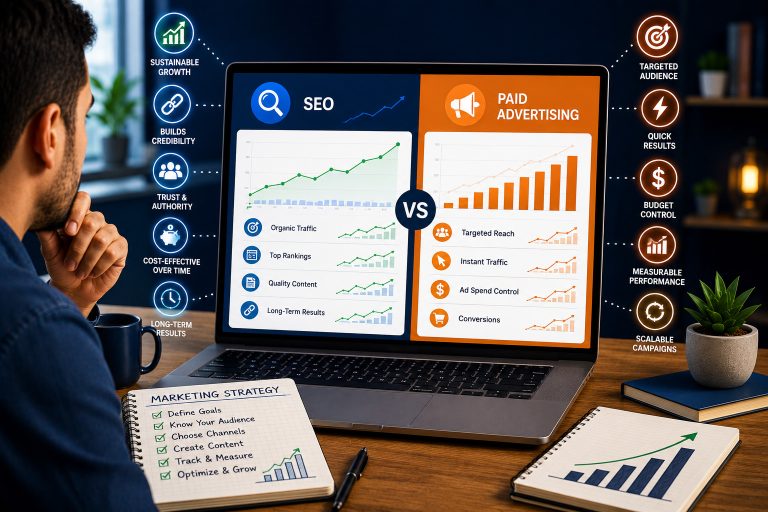
How long does digital marketing take to work?
Paid ads may produce faster results, while SEO and content marketing usually take longer. Consistency and measurement are important.
Can I do digital marketing myself?
Yes, especially at the beginning. As the business grows, you may need help with strategy, website improvements, SEO, ads and analytics.
What is the biggest digital marketing mistake small businesses make?
One common mistake is doing random marketing without a clear goal, audience, tracking system or follow-up process.
Should local businesses use Google Business Profile?
Yes. Eligible local businesses can use Google Business Profile to manage how they appear on Google Search and Maps.
Need Help Creating a Digital Marketing Strategy?
Teemikemedia Agency can help you plan your website, SEO, content, social media, email marketing and online growth strategy so your business can attract better leads and customers.