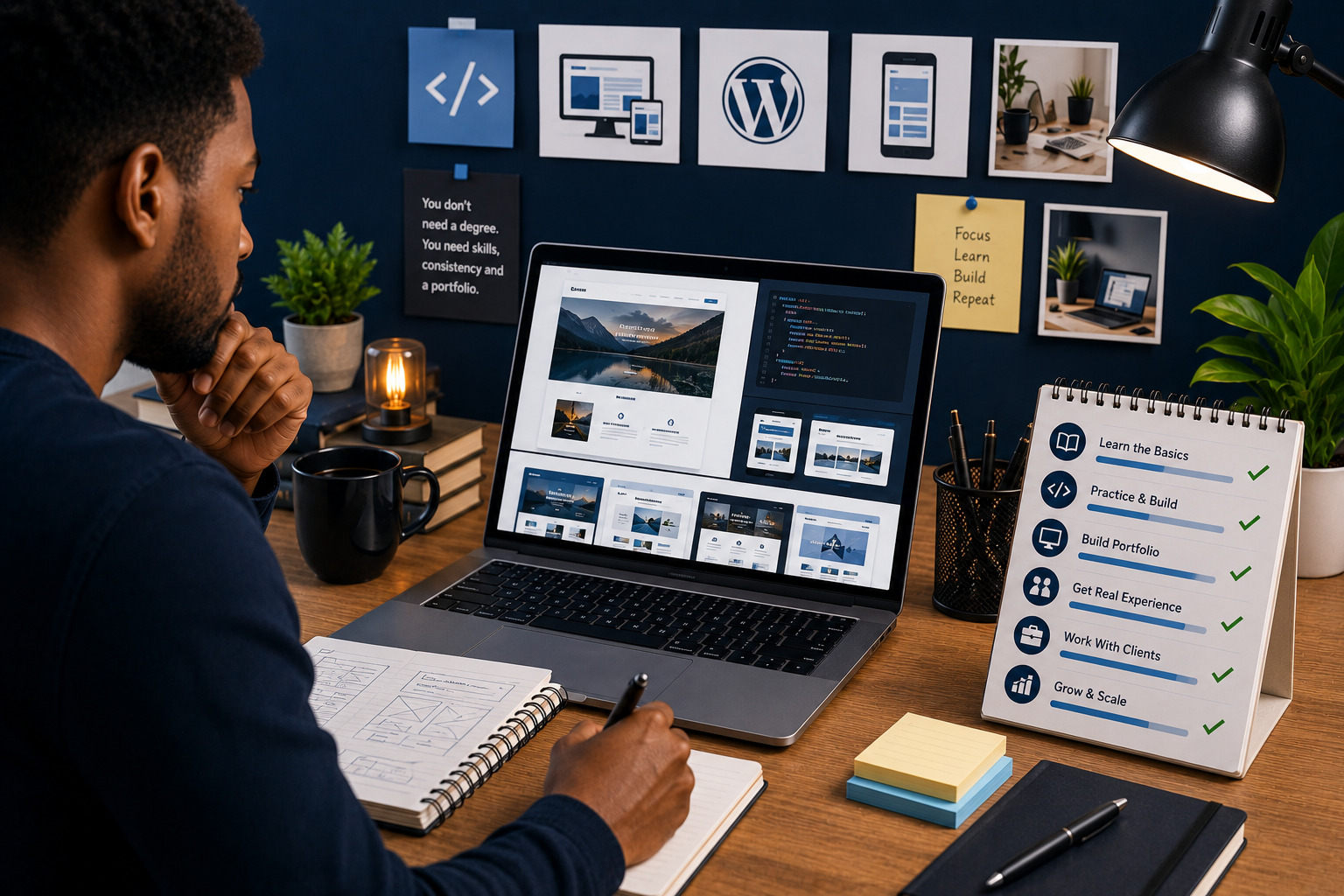

Learning how to start a career in website design without a computer science degree is possible because website design is a practical skill-based career. Clients and employers often care more about what you can build, how well you understand users and whether you can deliver professional results than whether you studied computer science.
A computer science degree can be helpful for some technical careers, but it is not the only path into website design. Many successful website designers learned through online courses, practice projects, portfolio building, client work, mentorship and continuous improvement.
Website design combines creativity, structure, communication, user experience, basic technical knowledge and business understanding. You do not need to become a full software engineer before you can design professional websites.
This guide explains how to start a website design career without a computer science degree, what skills to learn, what tools to practise, how to build a portfolio and how to get your first opportunities.
Quick answer
To start a career in website design without a computer science degree, learn website layout, user experience, responsive design, basic HTML and CSS, WordPress or another website platform, SEO basics, design tools and client communication. Build portfolio projects, create a simple website for yourself, practise with real business examples, offer small projects, collect testimonials and keep improving your skills.
You need proof, not just learning
Watching tutorials is not enough. To become a website designer, you need to build real pages, solve layout problems, create portfolio examples and show that you can deliver results.
Do You Need a Computer Science Degree to Become a Website Designer?
No, you do not need a computer science degree to become a website designer.
Website design is different from computer science. Computer science focuses more on algorithms, programming theory, data structures, systems and deeper technical concepts. Website design focuses more on visual layout, usability, content structure, branding, responsive design and helping visitors take action.
What clients usually care about
- Can you design a professional website?
- Can you understand their business goals?
- Can you make the website mobile friendly?
- Can you communicate clearly?
- Can you deliver on time?
- Can you show examples of your work?
- Can you solve basic website problems?
A degree can help, but a strong portfolio, practical skills and reliable delivery can open doors without one.
What Does a Website Designer Do?
A website designer plans and creates the visual and structural experience of a website.
A website designer may work on:
- Page layouts
- Homepage design
- Service pages
- Landing pages
- Navigation menus
- Brand colours and typography
- Image placement
- Call-to-action sections
- Responsive design
- Website content structure
- Basic SEO setup
- Website platform setup
Website designer versus web developer
A website designer focuses more on appearance, layout, user experience and content flow. A web developer focuses more on coding, functionality, custom systems and technical development.
Many modern website designers also learn tools like WordPress, Webflow, Wix, Shopify or Framer so they can design and build websites without writing complex code.
Skills You Need to Start a Website Design Career
You need a mix of creative, technical and business skills.
Core website design skills
- Layout and spacing
- Typography
- Colour use
- Responsive design
- User experience basics
- Visual hierarchy
- Navigation structure
- Content organisation
- Call-to-action design
- Basic accessibility
Technical skills
- Basic HTML
- Basic CSS
- Website builders
- WordPress basics
- Domain and hosting basics
- Image optimisation
- Basic SEO
- Website speed basics
Business and client skills
- Communication
- Project scoping
- Proposal writing
- Feedback management
- Time management
- Problem solving
- Customer understanding
The best website designers understand both design and business. They do not only make websites look good; they help websites support real goals.
Website Design Tools to Learn
You do not need to learn every tool at once. Start with a small tool stack and improve over time.
Design tools
- Figma
- Canva
- Adobe XD
- Photoshop
- Illustrator
Website platforms
- WordPress
- Elementor
- Webflow
- Wix
- Squarespace
- Shopify
- Framer
Helpful support tools
- Google Docs
- Google Drive
- Notion
- Trello
- Loom
- Google Analytics
- Google Search Console
- PageSpeed Insights
Choose tools based on the type of clients you want to serve. For example, small businesses may often need WordPress, Wix or Shopify, while startups may prefer Webflow or custom designs.
Learn Basic HTML and CSS
You can start website design without becoming a full programmer, but basic HTML and CSS are very useful.
HTML helps you understand:
- Headings
- Paragraphs
- Links
- Images
- Lists
- Sections
- Page structure
CSS helps you understand:
- Colours
- Fonts
- Spacing
- Layouts
- Responsive behaviour
- Buttons
- Backgrounds
- Visual styling
Why this matters
Even if you use WordPress or no-code tools, HTML and CSS help you troubleshoot layout issues, understand page structure and communicate better with developers.
Learn Website Platforms
Website platforms help you build real websites faster.
WordPress
WordPress is useful for business websites, blogs, service pages, portfolios and ecommerce through WooCommerce.
Shopify
Shopify is useful for online stores, product pages, collections, payments and ecommerce management.
Wix and Squarespace
These platforms can be useful for simple business websites, portfolios and clients who want easier editing.
Webflow and Framer
These tools can be useful for more design-focused websites, landing pages and modern web experiences.
You do not need to learn all platforms at once. Choose one main platform, become good at it and add more later.
Understand User Experience Basics
User experience is about making the website easy and helpful for visitors.
Good user experience means:
- Visitors understand the business quickly
- Navigation is simple
- Pages load properly on mobile
- Important information is easy to find
- Buttons are clear
- Forms are simple
- Content is readable
- The visitor knows what to do next
Design for the visitor
A website should not only reflect what the business owner likes. It should help the target audience take the next step with confidence.
Learn Basic SEO
Website designers should understand SEO basics because page structure affects search visibility.
Basic SEO skills include:
- Writing clear page titles
- Using meta descriptions
- Creating clean URLs
- Using proper headings
- Adding image alt text
- Internal linking
- Mobile-friendly design
- Fast-loading pages
- Submitting sitemaps
You do not need to become an advanced SEO specialist at first, but you should know how to build websites with a strong foundation.
Build a Portfolio Without Clients
You can build a portfolio even before you get paid clients.
Create sample projects for:
- A restaurant website
- A fitness coach website
- A cleaning service website
- A real estate landing page
- A course creator website
- A small ecommerce store
- A personal brand website
- A nonprofit website
What to show in your portfolio
- Homepage design
- Mobile view
- Service page
- Contact section
- Before-and-after redesign
- Problem you solved
- Tools used
Your portfolio should show that you can think like a designer and solve real business problems.
Practice Project Ideas for Beginners
Practice projects help you improve faster than only watching tutorials.
Beginner projects
- One-page portfolio website
- Local business homepage
- Service landing page
- Simple blog layout
- Newsletter landing page
Intermediate projects
- Five-page business website
- Booking website concept
- Shopify product page redesign
- Course sales page
- Website redesign case study
Advanced projects
- Full ecommerce store
- Membership website
- Online course platform pages
- Multi-service agency website
- Conversion-focused landing page system
Each project should teach you structure, design, responsiveness and communication.
Create Your Own Website
Your own website can become your first serious portfolio piece.
Your website should include:
- Home page
- About section
- Services
- Portfolio
- Testimonials when available
- Contact form
- Clear call to action
- Blog or resources if possible
Even a simple personal website can help you look more professional when applying for freelance work or remote roles.
How to Get Your First Website Design Clients
Getting your first clients may take effort, but it becomes easier when you have clear examples and a simple offer.
Ways to find early opportunities
- Offer a small website package
- Redesign a page for a local business as a sample
- Use freelance platforms
- Share your work on social media
- Ask people in your network
- Partner with marketers or business consultants
- Join business communities
- Create helpful website tips online
Start small
Your first project does not need to be a large website. A landing page, homepage redesign or small business website can help you build proof.
How to Price Your Early Website Design Projects
Pricing depends on your skill level, scope, market, timeline and value delivered.
Pricing factors include:
- Number of pages
- Content support
- Platform used
- Design complexity
- SEO setup
- Forms and integrations
- Ecommerce features
- Revisions
- Timeline
- Maintenance support
Avoid pricing only by hours
Hourly pricing can work, but project-based pricing may be clearer for clients. Always define what is included so the scope does not become unlimited.
How Website Design Can Lead to Remote Work
Website design can lead to freelance income, agency roles, remote marketing roles, product design work and website support positions.
Possible roles include:
- Website designer
- WordPress designer
- Webflow designer
- Landing page designer
- UI designer
- Website support specialist
- Ecommerce assistant
- Digital marketing assistant
- Content and website coordinator
To improve your remote work chances, build a portfolio, document your process and show that you can communicate professionally online.
How to Grow Your Website Design Career
Once you understand the basics, you can specialise or expand your services.
Possible specialisations
- WordPress websites
- Shopify stores
- Course creator websites
- Real estate websites
- Healthcare websites
- Landing pages
- Website redesigns
- SEO-focused websites
- Website maintenance
Skills to add later
- Copywriting
- SEO strategy
- Conversion optimisation
- Email marketing
- Automation
- Basic JavaScript
- Analytics
- Project management
Specialising can help you stand out and charge better rates because clients see you as a better fit for their specific needs.
Common Mistakes to Avoid
- Waiting until you feel perfect before building
- Only watching tutorials without practice
- Trying to learn every platform at once
- Ignoring mobile design
- Copying designs without understanding structure
- Not learning basic SEO
- Not creating a portfolio
- Underpricing every project
- Not using contracts or clear scope
- Ignoring client communication
- Not testing websites before delivery
- Depending only on templates without learning design principles
Website Design Career-Start Checklist
Learning checklist
- Learn layout and spacing
- Study typography and colour
- Understand responsive design
- Learn basic HTML and CSS
- Choose one website platform
- Practise SEO basics
- Study user experience
- Build sample projects
Career checklist
- Create a portfolio
- Build your own website
- Write a clear service offer
- Prepare project packages
- Show before-and-after work
- Collect testimonials
- Share your work online
- Keep improving your process
Final Verdict: How to Start a Career in Website Design Without a Computer Science Degree
If you want to know how to start a career in website design without a computer science degree, the answer is simple: learn practical skills, build real projects and create proof of what you can do.
You do not need a computer science degree to design professional websites. You need design understanding, website platform skills, basic HTML and CSS, user experience knowledge, SEO basics, communication ability and a portfolio that shows your work.
Start with one platform, practise consistently and build sample websites for real business scenarios. Then create your own website, share your projects and begin offering small services while improving your skills.
Website design is a career where practical proof matters. The more you build, test and improve, the more confident and valuable you become.
Our recommendation
Start with website design fundamentals, then learn WordPress or another practical platform. Build at least three portfolio projects before looking for paid work, and keep improving your design, SEO and client communication skills.
Frequently Asked Questions
Can I become a website designer without a computer science degree?
Yes. Many website designers build careers through practical learning, portfolio projects, online courses and client experience without a computer science degree.
What skills do I need to become a website designer?
You need layout, typography, colour, responsive design, user experience, basic HTML and CSS, website platform skills, SEO basics and communication skills.
Do website designers need to code?
Not always, but basic HTML and CSS are very useful. Many designers use WordPress, Webflow, Wix, Shopify or other platforms to build websites without advanced coding.
Which platform should beginners learn first?
WordPress is a practical starting point for many beginners because it is widely used for business websites, blogs and service websites.
How do I build a portfolio without clients?
Create sample websites for fictional or real business types such as restaurants, coaches, cleaning companies, ecommerce stores or course creators.
How long does it take to learn website design?
You can learn the basics within a few months with consistent practice, but becoming skilled and confident takes ongoing project work.
Can website design become a remote career?
Yes. Website design can lead to freelance work, remote agency roles, website support roles, ecommerce support and digital marketing opportunities.
Do I need expensive tools to start?
No. You can start with affordable or free tools such as Figma, WordPress, Canva, Google Docs and basic hosting when needed.
What should my first website project be?
Start with a simple one-page personal portfolio or a homepage concept for a small business niche you understand.
How do I get my first website design client?
Build sample projects, create a portfolio, share your work online, use freelance platforms, ask your network and offer clear beginner-friendly packages.
Should I learn UI/UX before website design?
You can learn them together. User experience basics will make your website designs more useful and easier to navigate.
Is website design still a good career?
Yes. Businesses still need professional websites, redesigns, landing pages, ecommerce stores and ongoing website support.
What is the difference between website design and web development?
Website design focuses on layout, visuals and user experience, while web development focuses more on coding, functionality and technical systems.
Can I use templates as a beginner?
Yes, but you should learn design principles so you understand how to customise templates properly instead of depending on them completely.
What should I learn after the basics?
After the basics, learn SEO, copy structure, analytics, conversion optimisation, website maintenance and one specialised platform or niche.
Need Help Building Your Website Design Career Presence?
Teemikemedia Agency can help you create a professional website, organise your digital services and build an online presence that supports your freelance or business goals.