
Choosing the right website platform is one of the most important decisions a business owner can make when building an online presence. Your choice affects how easily you can manage your website, how much control you have, what features you can add, how well the website can grow and how much you may spend over time.
WordPress and Wix are two popular options, but they approach website creation in very different ways. Wix provides an all-in-one hosted website builder, while self-hosted WordPress gives you greater freedom to select your hosting, themes, plugins and technical setup.
Neither platform is automatically the right choice for every business. Wix can be a practical solution for a simple website that needs to be launched quickly. WordPress may be more appropriate when a business needs greater ownership, flexibility, search optimisation control, custom functionality or room for long-term expansion.
This detailed WordPress vs Wix comparison examines ease of use, design, pricing, SEO, e-commerce, maintenance, ownership and scalability so you can make an informed decision for your business.
Quick answer
Choose Wix when you want a straightforward, all-in-one website builder with hosting included and limited technical responsibility. Choose WordPress when you want greater control, extensive customisation and a platform that can support more complex requirements as your business grows.
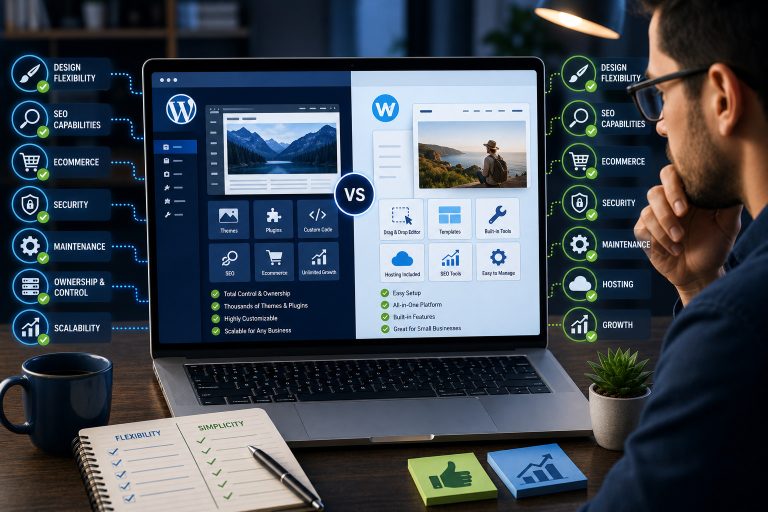
WordPress vs Wix: Quick Comparison
The simplest way to understand the difference is that Wix is a managed website-building service, while self-hosted WordPress is open-source website software installed on a hosting account.
With Wix, your hosting, editor, templates and many business tools are managed inside one account. With WordPress, you select your hosting company and extend the website using themes, plugins, integrations and custom development.
| Feature | WordPress | Wix |
|---|---|---|
| Type of platform | Open-source content management system | Hosted all-in-one website builder |
| Hosting | You select and manage a hosting provider | Hosting is provided within the Wix platform |
| Ease of use | Requires more initial learning and setup | Generally easier for beginners |
| Design flexibility | Extensive themes, builders and custom-code options | Visual editor with templates and integrated tools |
| Features | Extended through plugins, code and integrations | Extended through Wix tools and applications |
| SEO control | Extensive control through plugins and technical configuration | Built-in SEO tools suitable for many standard websites |
| E-commerce | Usually handled through WooCommerce or another plugin | Built-in Wix Stores and business features |
| Maintenance | You manage updates, backups, security and hosting | Much of the platform maintenance is handled by Wix |
| Ownership and control | Greater access to files, database and hosting environment | The website operates within Wix’s managed ecosystem |
| Best suited for | Flexible, content-rich, custom or expanding websites | Simple and moderately complex all-in-one websites |
What Is WordPress?
WordPress is an open-source content management system that can be used to create and manage many types of websites. These include business websites, blogs, online stores, directories, membership websites, learning platforms, news websites, portfolios and online communities.
For this comparison, WordPress refers mainly to self-hosted WordPress.org rather than WordPress.com. With self-hosted WordPress, you obtain a hosting account, connect a domain name and install WordPress on that hosting environment.
A WordPress theme controls much of the website’s appearance, including layouts, colours, typography and templates. Plugins extend the website’s functionality. Depending on the project, plugins may add contact forms, online payments, e-commerce, bookings, memberships, learning management, multilingual content, security, analytics and search optimisation.
WordPress gives you significant freedom, but that freedom comes with responsibility. You or your website professional must manage updates, backups, hosting quality, security and compatibility between themes, plugins and custom code.
WordPress does not mean one fixed setup
Two WordPress websites can operate very differently. One may use budget shared hosting and free plugins, while another may use managed cloud hosting, custom development and premium business integrations.
This flexibility is one of WordPress’s greatest strengths, but it also means that the quality of the finished website depends heavily on how it is designed, configured and maintained.
What Is Wix?
Wix is a hosted website-building platform that combines website creation, hosting, templates and business features within one managed environment. Users create an account, select a design approach and build their pages using Wix’s visual editing tools.
Because hosting is included, users do not have to install the platform on an external server. Updates to the core Wix environment are also handled by Wix rather than by the individual website owner.
Wix can be used for service-business websites, portfolios, blogs, appointment-based businesses, restaurants, events and online stores. Its dashboard provides access to website editing and other tools available under the selected plan.
Wix focuses on convenience
The central appeal of Wix is convenience. The editor, hosting and many business tools are accessible through one provider. This reduces the number of separate services a beginner must understand.
However, operating within a managed platform means you have less control over the underlying hosting infrastructure and technical environment than you normally have with a self-hosted WordPress website.
WordPress approach
You build your website using an open platform and choose the hosting, theme, plugins and technical tools that support your needs.
Wix approach
You build and manage the website within a hosted ecosystem where the main editor, hosting and platform tools are provided together.
WordPress vs Wix for Ease of Use
Ease of use is one area where Wix will often feel more approachable to a complete beginner. You can create an account, choose a template and begin editing without first purchasing separate hosting or installing a content management system.
Using Wix
Wix provides a visual editing experience that allows users to position and customise elements on a page. Website settings, billing, marketing tools and applications are managed through the same general platform.
This centralised experience can be helpful for someone who wants a simple business website and does not want to deal with hosting control panels, databases, plugin updates or server configurations.
However, the number of design and business options available can still require learning. Easy to start does not necessarily mean every advanced feature will be effortless to configure.
Using WordPress
WordPress normally requires more decisions at the beginning. You need a domain, hosting, a theme and possibly several plugins. You must also learn the WordPress dashboard and understand the difference between pages, posts, themes, plugins, menus and widgets or blocks.
Once properly configured, WordPress can still be easy for a business owner to update. A professionally built WordPress website can provide simple editing areas for changing text, images, blog articles and products.
The greater difficulty is usually not writing content. It is making good technical decisions and avoiding unnecessary plugins, poor hosting and conflicting website tools.
Ease-of-use winner: Wix
Wix generally provides the easier starting experience. WordPress requires more setup, but a well-built WordPress website can still be straightforward to manage after launch.
Design and Customisation
Both WordPress and Wix can produce professional-looking websites. The difference is how much freedom you have when the website’s requirements become more specific.
Wix design flexibility
Wix offers templates and visual editing controls that allow users to customise colours, typography, images, spacing and layouts. This is often enough for a brochure website, portfolio or straightforward service business.
Wix also provides responsive tools and prebuilt website features. A user can begin from a template rather than creating every layout from the beginning.
The limitation is that your website remains within the design and technical capabilities offered by the platform. When a project requires unusual functionality, highly customised data structures or complete control over its technical environment, the managed platform may become restrictive.
WordPress design flexibility
WordPress supports a large selection of themes and page-building methods. You may use the WordPress Block Editor, a full-site editing theme, a visual page builder or a custom theme developed specifically for the business.
Developers can modify templates, styles, functions and database-driven content. This makes WordPress suitable for websites that must follow a distinctive brand system or support features beyond a standard template.
This flexibility can also create inconsistency when a website is poorly planned. Installing many different page builders, themes and design plugins can produce slower performance or make future maintenance more difficult.
Design-flexibility winner: WordPress
Wix provides a convenient visual editor, but WordPress generally offers more freedom for custom layouts, integrations and specialised website functionality.
WordPress vs Wix Pricing and Ongoing Costs
It is difficult to declare one platform universally cheaper because the total cost depends on the type of website you are building.
Pricing can also change by country, billing period, currency, promotion and plan level. For that reason, compare the latest official plans before making a purchase rather than relying only on an old comparison article.
Understanding Wix costs
Wix offers a free starting option, but a professional business website will normally require a paid plan. Paid plans can allow the connection of a custom domain, removal of Wix branding and access to additional storage or business capabilities.
The cost is easier to predict because hosting and the main platform are combined. However, your total may increase if you require e-commerce, premium applications, advanced marketing features or higher-level business tools.
Understanding WordPress costs
The WordPress software itself is open source, but running a professional WordPress website is not necessarily free. Typical expenses may include:
- A domain name
- Website hosting
- A premium theme or design system
- Premium plugins
- Security and backup tools
- Professional development
- Ongoing website maintenance
A simple WordPress website can be inexpensive, but a complex e-commerce or membership platform may require a larger budget. You have more control over where the money is spent because you can choose different providers and replace individual services.
Remember renewal costs
Do not compare only the introductory price. Check the regular renewal cost of hosting, domains, applications, themes and plugins. A service that appears cheap during the first year may cost considerably more when it renews.
Pricing result: It depends
Wix can offer more predictable all-in-one pricing. WordPress can provide greater control over your budget, but the final cost depends on your hosting, plugins, maintenance and development requirements.
WordPress vs Wix for SEO
Both WordPress and Wix can support a search-optimised website. The platform alone will not guarantee Google rankings. Content quality, search intent, technical performance, authority, usability and competition also affect results.
SEO with Wix
Wix provides built-in tools for configuring important SEO information. Users can manage page titles, descriptions and other search-related settings. Wix also provides an SEO Setup Checklist that helps website owners work through important configuration steps.
For many small service websites, these built-in tools may be sufficient. A business can create optimised pages, connect search tools and publish useful content without installing a separate SEO plugin.
SEO with WordPress
WordPress allows website owners to install SEO plugins and make deeper technical changes through themes, plugins, hosting and custom code.
Depending on the setup, a WordPress website can provide extensive control over:
- SEO titles and meta descriptions
- Canonical URLs
- XML sitemaps
- Schema markup
- Redirects
- Robots directives
- Internal linking
- Image optimisation
- Page speed and caching
- Content templates
More control does not automatically produce better SEO. A poorly configured WordPress website can still have broken links, duplicate content, indexing problems, slow performance or badly structured pages.
SEO winner: WordPress for advanced control
Wix provides useful built-in SEO tools for standard websites. WordPress usually offers greater technical flexibility, which can be valuable for content-heavy websites and advanced SEO strategies.
E-Commerce Features
Both platforms can be used to sell products online, but the better choice depends on the size and complexity of the store.
Wix for e-commerce
Wix provides integrated online-store features under relevant business plans. Store owners can manage products, orders, payments and other commerce settings within the Wix dashboard.
This can work well for small or moderately sized stores that need a straightforward way to sell physical or digital products without managing a separate hosting environment.
WordPress and WooCommerce
WordPress websites commonly use WooCommerce for e-commerce. WooCommerce can support products, variations, coupons, shipping, taxes, payments, subscriptions and many other store functions through extensions and integrations.
WordPress may be more suitable when a store requires specialised checkout rules, unusual product types, custom integrations, marketplace features, membership access or more control over the customer journey.
The trade-off is maintenance. A WooCommerce store requires reliable hosting, security, backups, software updates and careful compatibility testing.
E-commerce result
Wix can be suitable for a simpler online store. WordPress with WooCommerce usually offers greater flexibility for stores that require customisation or expect significant expansion.
Website Ownership and Control
Ownership and control are important when choosing a platform for a long-term business asset.
Control with WordPress
With a self-hosted WordPress website, you normally have access to your website files and database through your hosting provider. You can change hosting companies, modify code, install different software and work with another developer.
You are still subject to the terms of your domain registrar, hosting provider and any plugins or external services you use. However, the underlying WordPress website is generally more portable than a website built entirely inside a closed hosted platform.
Control with Wix
Wix users control their website content and account, but the website operates within Wix’s managed infrastructure. The design system and much of the underlying technology are tied to that ecosystem.
Moving away from Wix may require rebuilding parts of the website on a different platform rather than transferring the complete site exactly as it is.
This does not make Wix unsuitable. It simply means you should be comfortable building your website within that provider’s ecosystem.
Ownership and control winner: WordPress
Self-hosted WordPress generally provides greater access to website files, the database, hosting choices and custom development options.
Maintenance and Security
A website must remain secure, functional and compatible after launch. This is where the responsibilities of WordPress and Wix differ considerably.
Wix maintenance
Wix manages the core hosting environment and platform updates. Website owners do not have to update the Wix core system or manage server software.
You are still responsible for strong passwords, account permissions, accurate content, domain renewals, connected applications and safe business practices.
WordPress maintenance
WordPress has a dedicated security team responsible for addressing issues in the core software. However, each website owner remains responsible for maintaining the individual installation and its surrounding ecosystem.
WordPress maintenance commonly includes:
- Updating WordPress core
- Updating themes and plugins
- Creating and testing backups
- Monitoring security
- Removing unused software
- Testing contact forms and payments
- Monitoring website speed
- Renewing hosting, domains and licences
WordPress security problems are often caused by weak passwords, outdated plugins, insecure hosting, abandoned software or poor maintenance rather than by the idea of WordPress itself.
Important
Do not choose WordPress if nobody will be responsible for maintaining it. A flexible website still needs updates, backups and security monitoring.
Maintenance winner: Wix
Wix removes much of the technical platform maintenance. WordPress gives you more control but requires a clear maintenance plan.
Which Platform Is More Scalable?
Scalability is not only about the number of visitors a website can receive. It also concerns whether the website can support new content, integrations, products, languages, user roles and business processes.
Scaling a Wix website
A Wix website can grow from a small brochure website into a larger business website using the features and applications available within the platform.
The challenge appears when the business requires something that does not fit comfortably within the available tools. At that point, the business may have to adjust its process to the platform or consider rebuilding on another system.
Scaling a WordPress website
WordPress can support a wide range of projects because its hosting, themes, plugins and code can be changed independently. A business may begin with a service website and later add a blog, online store, membership area, booking system, multilingual content or learning platform.
Technical scalability still depends on the quality of the hosting, database, code and development decisions. Installing more plugins is not always the correct way to scale. Complex projects require careful architecture and experienced development.
Scalability winner: WordPress
WordPress generally offers more options for complex expansion, although scaling successfully requires good hosting, development and maintenance.
WordPress and Wix Pros and Cons
WordPress pros and cons
WordPress advantages
- Extensive design and functionality options
- Freedom to select a hosting provider
- Greater access to files and database
- Strong potential for content-heavy websites
- Advanced SEO configuration options
- Suitable for memberships and learning platforms
- Flexible e-commerce through WooCommerce
- Can support highly customised business requirements
WordPress disadvantages
- Requires more setup and initial learning
- Needs regular updates and maintenance
- Hosting quality varies between providers
- Poorly selected plugins may create conflicts
- Costs can become difficult to predict
- Security and backups must be managed properly
- Complex customisation may require a developer
Wix pros and cons
Wix advantages
- Beginner-friendly starting experience
- Hosting is included
- Visual website editor
- Templates and business tools in one platform
- Less responsibility for technical maintenance
- Centralised dashboard and customer support
- Suitable for many straightforward business websites
Wix disadvantages
- Less control over the hosting environment
- Advanced customisation may be restricted
- Moving to another platform can require rebuilding
- Features may depend on the selected plan
- Ongoing platform subscription is required
- Highly specialised integrations may be difficult
- The website remains dependent on one ecosystem
Who Should Choose WordPress and Who Should Choose Wix?
Choose WordPress when you need:
- Long-term flexibility
- Greater ownership and technical control
- Advanced SEO configuration
- A large or growing blog
- Custom e-commerce features
- A membership website
- An online learning platform
- Custom integrations
- Freedom to change hosting providers
- A platform that can adapt to complex future needs
Choose Wix when you need:
- A simple website launched quickly
- An all-in-one hosted platform
- A visual editing experience
- Minimal technical maintenance
- A straightforward service-business website
- A portfolio or personal-brand website
- Basic booking or store functionality
- One provider for the website and hosting
- A predictable managed-platform experience
Final Verdict: Is WordPress or Wix Better?
WordPress and Wix are both capable platforms, but they solve different problems.
Wix prioritises convenience. It combines hosting, editing and business tools in one managed environment. It is a sensible choice for someone who wants to create a straightforward website without taking responsibility for server management, plugin updates and other technical tasks.
WordPress prioritises flexibility and control. It allows you to select your hosting, modify the technical setup and add specialised features. This makes it a strong option for businesses that expect their website to become more complex over time.
For a small business that needs only a simple online presence, Wix may provide everything required. For a business that plans to invest in content marketing, advanced SEO, customised e-commerce, memberships, online courses or extensive integrations, WordPress will often provide more room to grow.
The best platform is not always the one with the longest list of features. It is the one that supports your business objectives without creating unnecessary cost, complexity or limitations.
Our recommendation
Choose Wix for simplicity and convenience. Choose WordPress for ownership, flexibility and long-term customisation. Before committing, document the features you need now and the features your business may require within the next two or three years.
Frequently Asked Questions
Is Wix easier to use than WordPress?
Wix is generally easier for a complete beginner because hosting, templates and website editing are provided within one managed platform. WordPress requires more setup, but it can be configured to provide a simple editing experience for business owners.
Is WordPress better than Wix for SEO?
Both platforms can support SEO. Wix provides integrated SEO tools, while WordPress offers greater technical flexibility through plugins, hosting settings and custom development. Good content and proper implementation remain important on either platform.
Can I move from Wix to WordPress later?
You can move your content and rebuild your website on WordPress, but the complete Wix design and functionality may not transfer automatically. A migration may require content export, image transfer, redirects and manual rebuilding.
Is WordPress free?
The WordPress software is open source, but a professional self-hosted website normally requires paid hosting and a domain name. You may also pay for premium themes, plugins, maintenance or professional development.
Does Wix include hosting?
Yes. Wix is a hosted website builder, so hosting is provided within the platform. Professional business requirements may require one of its paid plans.
Which is better for an online store?
Wix can work well for a straightforward store. WordPress with WooCommerce may be more suitable when the business needs extensive customisation, specialised product types, unusual checkout rules or advanced integrations.
Which platform is better for a small business?
Wix may suit a small business that wants a simple all-in-one website. WordPress may suit a small business that expects to expand its blog, SEO, e-commerce, integrations or other website functionality.
Can I manage a WordPress website without coding?
Yes. Many routine WordPress tasks can be completed without writing code. However, technical knowledge or professional support may be needed for hosting problems, security, customisation, plugin conflicts and complex integrations.
Is Wix suitable for a large business website?
Wix can support many business websites, but suitability depends on the required integrations, content structure and custom workflows. A business with specialised or rapidly expanding requirements should evaluate the platform’s limitations before committing.
Will WordPress always be faster than Wix?
No. Website speed depends on images, code, hosting, plugins, design and optimisation. A badly configured WordPress website can be slower than a well-built Wix website. WordPress provides more performance-control options, but they must be used correctly.
Still Unsure Which Website Platform to Choose?
Choosing the wrong website platform can make future updates, marketing and business growth more difficult than necessary. Teemikemedia Agency helps businesses select, design and develop professional websites using WordPress, Wix, Shopify and other suitable platforms. We can review your goals, recommend the right solution and create a website that supports your business now and in the future.