
Choosing the right e-commerce platform can affect almost every part of your online store, including how products are managed, how customers pay, how much control you have, how easily the store can grow and how much time you spend maintaining it.
Shopify and WooCommerce are two of the most widely considered options for creating an online store. Both platforms can be used to sell physical products, digital products and services, but they approach e-commerce from very different directions.
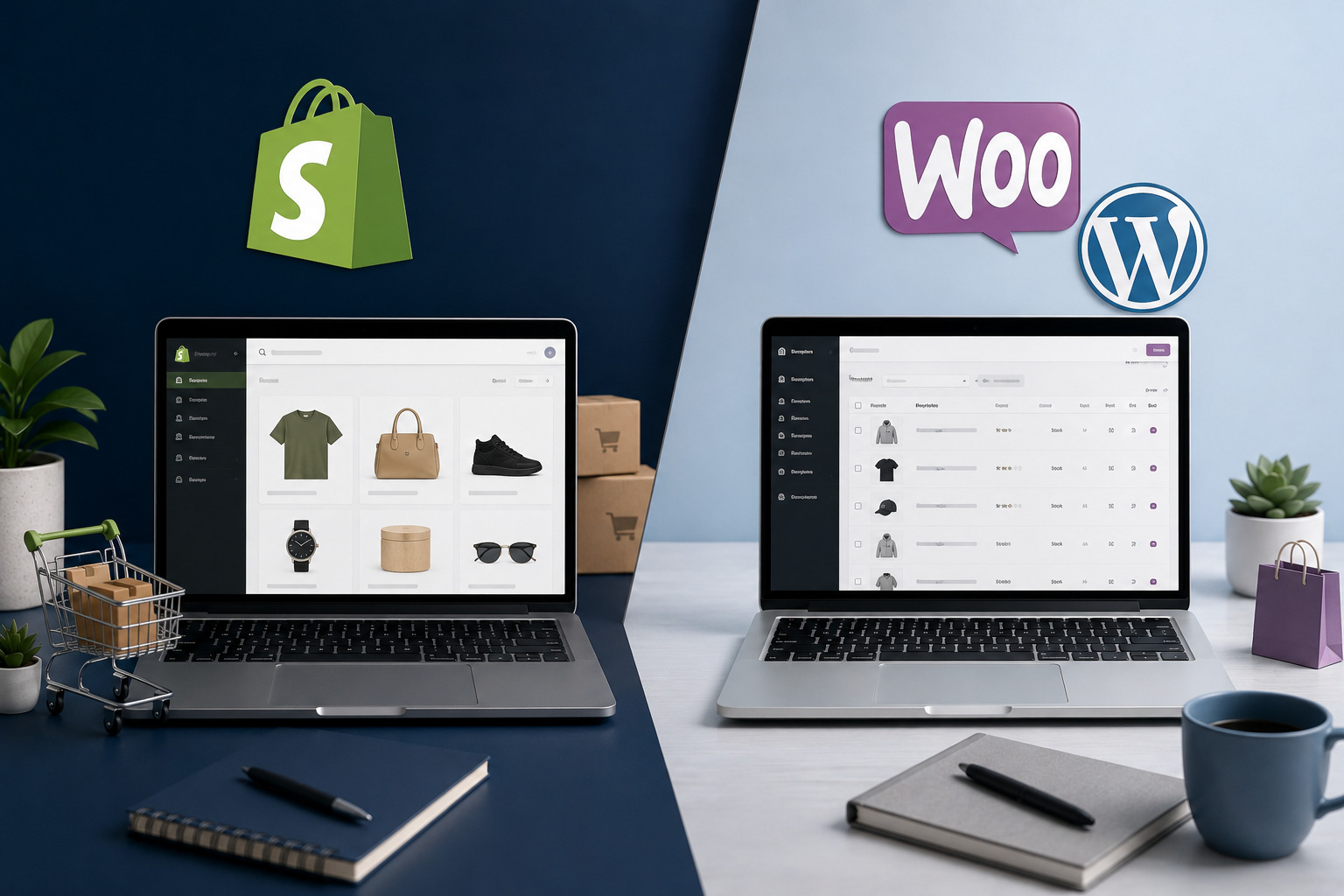
Shopify is a hosted commerce platform that combines store software, hosting, security and a central management dashboard. WooCommerce is an open-source e-commerce platform built for WordPress, allowing you to choose your hosting provider and control more of the website’s technical environment.
This detailed Shopify vs WooCommerce comparison examines ease of use, pricing, themes, payments, SEO, ownership, maintenance, security and scalability so you can decide which platform is better for your online store.
Quick answer
Choose Shopify when you want a managed, all-in-one e-commerce platform that handles hosting and much of the technical infrastructure. Choose WooCommerce when you want greater ownership, extensive customisation and the freedom to choose your hosting, payment tools and technical setup.
Shopify vs WooCommerce: The Main Difference
The biggest difference between Shopify and WooCommerce is how the store is hosted and managed.
Shopify is a hosted software-as-a-service platform. You create an account, choose a subscription plan and build your store using Shopify’s infrastructure. Hosting, platform updates and several security responsibilities are managed by Shopify.
WooCommerce is free, open-source e-commerce software designed to work with WordPress. You normally install it on a self-hosted WordPress website and select the hosting provider, theme, plugins, payment gateways and maintenance tools that support the store.
This means Shopify gives you a more centralised and managed experience, while WooCommerce gives you greater control but also more technical responsibility.
Shopify approach
Subscribe to a hosted commerce platform where the store dashboard, hosting, checkout and technical infrastructure are managed within one ecosystem.
WooCommerce approach
Install an open-source commerce system on WordPress and build the store using your chosen hosting provider, theme, plugins and integrations.
What Is Shopify?
Shopify is a hosted commerce platform created specifically for selling products and managing retail operations. It provides tools for creating an online storefront, adding products, processing orders, collecting payments and managing customers.
Because Shopify includes hosting, you do not need to install the software on an independent server. The platform manages the core infrastructure and provides a central dashboard for store operations.
Shopify can support online sales, in-person sales, social selling and additional sales channels depending on the merchant’s location, plan and integrations.
What Shopify provides
A standard Shopify setup can include:
- Managed e-commerce hosting
- Product and inventory management
- Checkout functionality
- Order and customer management
- Theme customisation
- Discount codes
- Analytics and reports
- Shipping configuration
- Tax settings
- App integrations
- Point-of-sale options
- SSL and platform-level security
The main benefit is convenience. Merchants can concentrate on products, orders and marketing without needing to manage the server that runs the store.
What Is WooCommerce?
WooCommerce is an open-source commerce platform built for WordPress. It can transform a WordPress website into an online store while allowing the owner to retain control over the hosting, website files, database and technical configuration.
The core WooCommerce plugin can be installed from the WordPress dashboard. After activation, the setup process helps merchants configure products, payments, shipping, tax and other store information.
WooCommerce can be used for physical goods, digital downloads, subscriptions, memberships, bookings, wholesale stores, marketplaces and many other commerce models through extensions and custom development.
What WooCommerce requires
A self-hosted WooCommerce store will normally require:
- A domain name
- Compatible WordPress hosting
- A WordPress installation
- The WooCommerce plugin
- A suitable theme
- A payment gateway
- Security and backup tools
- Performance optimisation
- Ongoing updates and maintenance
WooCommerce offers considerable flexibility, but the store owner or website professional must ensure that the hosting, themes, plugins and extensions work together reliably.
Shopify vs WooCommerce: Quick Comparison
| Feature | Shopify | WooCommerce |
|---|---|---|
| Platform type | Hosted e-commerce platform | Open-source e-commerce plugin for WordPress |
| Hosting | Included and managed by Shopify | Purchased separately from a hosting provider |
| Setup | Create an account and configure the store | Install WordPress, hosting and WooCommerce |
| Ease of use | Generally easier for beginners | Requires more setup and technical management |
| Customisation | Customisable within Shopify’s platform and theme system | Extensive control through themes, plugins and code |
| Payments | Shopify Payments and supported third-party providers | Wide selection of payment-gateway plugins |
| Transaction fees | Third-party transaction fees may apply when Shopify Payments is not used | WooCommerce itself does not add a platform transaction fee, but payment providers charge their own fees |
| Maintenance | Core platform and hosting maintenance are managed | The owner manages hosting, updates, backups and compatibility |
| Ownership and control | Store operates within Shopify’s managed ecosystem | Greater access to the website files, database and hosting |
| SEO control | Built-in SEO features with some platform restrictions | Extensive SEO control through WordPress, plugins and hosting |
| Support | Centralised Shopify support | Support is divided among host, plugin vendors and developers |
| Best suited for | Merchants who value convenience and managed infrastructure | Merchants who value flexibility and technical control |
Shopify vs WooCommerce for Ease of Use
Shopify is generally easier for someone who wants to launch a store without managing WordPress, hosting or multiple technical providers.
Using Shopify
After creating an account, Shopify guides the merchant through adding products, selecting a theme, configuring payments and preparing the store for launch.
The dashboard is focused on commerce, so products, customers, orders, marketing and analytics are managed in one environment.
Shopify still has a learning curve. Merchants must understand product variants, shipping profiles, taxes, apps and theme customisation. However, fewer server-level decisions are required.
Using WooCommerce
WooCommerce requires a working WordPress website. Before configuring the store, you may need to purchase hosting, connect a domain, install WordPress and select a theme.
The WooCommerce setup wizard makes the commerce configuration easier, but the owner must still manage WordPress, plugins, backups and hosting.
A professionally configured WooCommerce store can be easy to operate after launch. The technical complexity is usually more noticeable during setup, customisation and troubleshooting.
Ease-of-use winner: Shopify
Shopify provides a more straightforward starting experience because hosting, checkout and the main store tools are already integrated. WooCommerce offers more control but requires more technical setup.
Shopify vs WooCommerce Pricing and Ongoing Costs
Shopify and WooCommerce use different pricing models, which makes a simple price comparison difficult.
Shopify charges a recurring subscription fee based on the selected plan. WooCommerce itself is free and open source, but the store normally requires paid hosting, a domain and possibly premium extensions.
Shopify costs
Shopify offers different subscription plans for solo merchants, growing teams and larger businesses. Pricing varies by country, billing currency and whether the subscription is paid monthly or annually.
Additional Shopify expenses may include:
- Paid themes
- Third-party applications
- Email marketing tools
- Point-of-sale hardware or upgrades
- Payment-processing charges
- Third-party transaction fees where applicable
- Custom theme development
The advantage is predictability. Hosting and the core commerce platform are included in the subscription.
WooCommerce costs
The WooCommerce plugin does not require a licence fee, but a professional store may pay for:
- A domain name
- WooCommerce-compatible hosting
- A premium WordPress theme
- Premium extensions
- Payment gateway services
- Security and backups
- Website maintenance
- Performance optimisation
- Professional development
A simple WooCommerce store can be affordable. A complex store with subscriptions, bookings, wholesale pricing, advanced shipping and custom integrations may require several paid tools.
Which one is cheaper?
Shopify may be easier to budget because several services are bundled together. WooCommerce gives you more control over individual costs, but expenses can become unpredictable when many premium plugins and maintenance services are required.
Always compare renewal costs rather than only introductory hosting discounts or temporary Shopify promotions.
Pricing result: It depends
Shopify provides more predictable subscription pricing. WooCommerce can offer greater cost flexibility, but the final amount depends on hosting, extensions, development and maintenance.
Themes and Store Design
Both platforms provide themes that control the storefront’s layout, colours, typography and product presentation.
Shopify themes
Shopify offers free and paid themes designed specifically for e-commerce. Themes can be customised using Shopify’s visual editor, sections and theme settings.
Developers can also modify Shopify themes using Liquid, HTML, CSS and JavaScript.
The platform provides a structured theme environment, which can help maintain consistency. However, highly customised features may require specialist Shopify development or an application.
WooCommerce themes
WooCommerce can work with many WordPress themes, although a theme designed or tested for WooCommerce is usually the safer choice.
Store owners can use the WordPress Block Editor, full-site editing, page builders, theme settings or custom development.
This creates extensive design freedom, but poorly selected themes and page builders can increase page weight, create plugin conflicts or complicate future maintenance.
Design result
Shopify provides a controlled and commerce-focused theme environment. WooCommerce offers greater design freedom, particularly when custom WordPress development is required.
Product and Inventory Management
Both platforms allow merchants to create products, manage inventory, organise collections or categories and process customer orders.
Product management in Shopify
Shopify provides a dedicated product-management interface where merchants can add descriptions, images, prices, variants, inventory details, shipping information and search previews.
Products can be organised into collections and made available through supported sales channels.
The system is designed around commerce from the beginning, which can make the product workflow easier for new store owners.
Product management in WooCommerce
WooCommerce adds commerce-related product types and settings to WordPress. Merchants can create simple products, variable products, grouped products, external products and downloadable items.
Additional extensions can support subscriptions, bookings, memberships, bundles and other product models.
WooCommerce provides extensive flexibility, but advanced stores may require multiple plugins to achieve a specialised product structure.
Product-management result
Shopify offers a streamlined product-management experience. WooCommerce offers more flexibility when the store requires unusual product types or customised selling rules.
Payment Gateways and Transaction Fees
Payment processing is one of the most important areas to evaluate before selecting an e-commerce platform.
Payments on Shopify
Shopify provides Shopify Payments in supported countries and also integrates with third-party payment providers.
When Shopify Payments is available and suitable, it can simplify payment management because payouts and transactions are handled within the Shopify dashboard.
When a merchant uses an external payment provider instead of Shopify Payments, Shopify may charge an additional third-party transaction fee. The percentage depends on the selected plan.
This can be especially important for merchants in countries where Shopify Payments is unavailable or where a local payment gateway is preferred.
Payments on WooCommerce
WooCommerce supports a wide range of payment-gateway plugins. The core platform includes offline methods such as direct bank transfer, cash on delivery and cheque payments.
Merchants can add card payments, digital wallets, local payment methods and recurring billing through available extensions.
WooCommerce itself does not normally add an extra platform transaction fee simply because an external gateway is being used. However, the selected payment provider will charge its own processing fees, and some gateway plugins may have licence costs.
Payment availability in your country
Before choosing either platform, confirm that your preferred payment gateway supports your country, currency, business type and settlement account.
Do not select a platform based only on international payment options if your customers primarily use local gateways or bank-transfer methods.
Payments result
Shopify provides a convenient integrated payment experience where Shopify Payments is supported. WooCommerce generally provides greater flexibility for selecting independent and local payment gateways.
Shipping and Tax Management
Both platforms provide tools for configuring shipping rates, zones and tax settings, but the available features depend on the merchant’s country and integrations.
Shipping with Shopify
Shopify allows merchants to create shipping zones, configure flat or calculated rates, offer free shipping and connect supported fulfilment services.
Available carrier rates, labels and shipping discounts may depend on the country and plan.
Shipping with WooCommerce
WooCommerce includes shipping zones and supports flat-rate shipping, free shipping and local pickup.
Additional extensions can connect carriers, calculate table rates, print labels or provide specialised delivery rules.
This gives merchants considerable flexibility, but complex shipping setups may require premium extensions and testing.
Shipping result
Shopify offers a more integrated shipping experience in supported markets. WooCommerce provides greater freedom to build customised shipping rules through extensions.
Shopify Apps vs WooCommerce Plugins
Both platforms use extensions to add functionality beyond the core system.
Shopify App Store
The Shopify App Store contains applications for reviews, marketing, subscriptions, fulfilment, customer service, analytics and many other store functions.
Apps are installed into the Shopify store and may offer free plans, trials or recurring subscriptions.
Installing many paid applications can significantly increase the monthly operating cost of a Shopify store.
WooCommerce extensions and WordPress plugins
WooCommerce can be extended through the official WooCommerce Marketplace, the WordPress plugin directory, independent developers and custom code.
The available ecosystem is extensive, but plugin quality varies. Store owners should check update history, support, compatibility and security before installing a plugin.
Using too many overlapping plugins can create performance problems or make troubleshooting difficult.
Do not install every available extension
Whether you use Shopify or WooCommerce, add an app or plugin only when it solves a genuine business requirement. Every additional tool can increase cost, complexity and maintenance.
Extensions result
Shopify provides a more controlled application ecosystem. WooCommerce provides broader technical freedom, but merchants must evaluate plugin quality carefully.
Shopify vs WooCommerce for SEO
Both platforms can support search engine optimisation, and neither platform guarantees rankings automatically.
SEO on Shopify
Shopify provides built-in tools for editing page titles, meta descriptions, image alt text and search previews. It also automatically creates certain technical elements such as sitemaps and canonical tags.
Shopify’s structured platform can reduce some technical configuration work, but merchants have less control over certain URL structures and server-level settings.
SEO with WooCommerce
WooCommerce benefits from the broader WordPress SEO ecosystem. Merchants can install SEO plugins, configure redirects, customise schema, improve internal linking and control more technical settings.
The selected theme, hosting and plugins affect performance. A poorly optimised WooCommerce store can become slow and difficult for search engines and users to navigate.
SEO winner: WooCommerce for advanced control
Shopify provides reliable built-in SEO tools for most stores. WooCommerce generally offers more technical flexibility for merchants and SEO professionals who require deeper control.
Store Ownership and Control
Both platforms allow you to operate a business and manage your store content, but they provide different levels of control over the underlying technology.
Control with Shopify
Your Shopify store operates within Shopify’s hosted ecosystem. You control products, branding, content, customer relationships and available settings, but you do not control the underlying platform infrastructure.
You must comply with Shopify’s terms, payment policies and technical limitations.
Control with WooCommerce
A self-hosted WooCommerce store normally gives you access to the WordPress files, WooCommerce data and hosting database.
You can change hosting providers, modify code, install custom systems and work with different developers.
This greater control also makes you responsible for protecting the website and maintaining reliable backups.
Ownership and control winner: WooCommerce
WooCommerce generally provides greater access to store files, data, hosting and custom development. Shopify provides a more managed environment with fewer infrastructure responsibilities.
Security and Maintenance
An online store handles customer information, orders and payments, so security cannot be treated as an optional feature.
Shopify security and maintenance
Shopify manages the hosting platform, software infrastructure and core security updates. It also provides TLS certificates for secure connections.
Shopify states that its platform is Level 1 PCI DSS compliant, and this coverage extends to stores powered by Shopify.
Merchants remain responsible for account security, strong passwords, staff permissions, fraud monitoring and careful app selection.
WooCommerce security and maintenance
WooCommerce security depends on WordPress, the hosting provider, installed plugins, themes and maintenance practices.
The store owner must ensure that:
- WordPress and WooCommerce remain updated
- Plugins and themes are maintained
- Secure hosting is used
- Backups are created and tested
- Administrator accounts are protected
- Unused plugins are removed
- Payment gateways are configured correctly
- Malware and suspicious activity are monitored
A well-maintained WooCommerce store can be secure, but the responsibility is distributed among the store owner, host and software providers.
Security and maintenance winner: Shopify
Shopify handles more of the platform-level security and maintenance. WooCommerce gives you more control, but you must actively manage the store’s technical health.
Performance and Hosting
Shopify performance
Shopify controls its hosting infrastructure and handles the platform’s technical environment. Merchants do not need to select a server or configure caching at the hosting level.
Performance can still be affected by large images, heavy themes, third-party scripts and too many applications.
WooCommerce performance
WooCommerce performance depends heavily on the hosting plan, theme, plugins, database and optimisation setup.
A carefully configured WooCommerce store on strong hosting can perform very well. A store placed on inadequate shared hosting with too many plugins may become slow, especially during traffic spikes.
WooCommerce publishes server recommendations that merchants and developers should consider when selecting a hosting environment.
Performance result
Shopify provides a more predictable managed-hosting environment. WooCommerce provides more performance-control options, but the quality of the result depends on the hosting and technical configuration.
Which Platform Is More Scalable?
Both Shopify and WooCommerce can support growing stores, but they scale in different ways.
Scaling with Shopify
Shopify merchants can upgrade plans, install applications, connect sales channels and eventually consider Shopify Plus for larger or more complex operations.
The managed infrastructure reduces server-management work, which can be valuable during periods of rapid growth.
The limitation is that specialised business processes must fit within Shopify’s platform, APIs and customisation options.
Scaling with WooCommerce
WooCommerce can support highly customised stores because the hosting, database, code and integrations can be modified.
A merchant can move to stronger hosting, create custom plugins, connect external systems and develop specialised checkout or inventory processes.
This flexibility requires experienced technical management. A complex WooCommerce store should not be scaled simply by installing more plugins without planning the underlying architecture.
Scalability result
Shopify is often easier to scale operationally because the infrastructure is managed. WooCommerce can be more technically flexible when the business requires deeply customised systems.
Customer Support
Shopify support
Shopify provides centralised support and documentation for its platform. Because Shopify controls the core store infrastructure, its support team can investigate many account, checkout and platform-related issues.
Support for third-party applications and custom themes may still need to come from the relevant developer.
WooCommerce support
WooCommerce support is distributed among several providers. Depending on the issue, assistance may come from:
- Your hosting company
- The WooCommerce support team
- Your theme developer
- Your plugin vendor
- Your payment provider
- Your website designer or developer
This gives you freedom to select specialists, but it can also make troubleshooting slower when different providers disagree about the source of a problem.
Support winner: Shopify
Shopify offers a more centralised support relationship. WooCommerce support is divided among the hosting provider, software vendors and website professionals.
Shopify and WooCommerce Pros and Cons
Shopify pros and cons
Shopify advantages
- Hosting is included
- Commerce-focused dashboard
- Simple initial setup
- Managed platform updates
- Integrated checkout and payment tools
- Centralised support
- Strong app and theme ecosystem
- Suitable for online and in-person sales
- Platform-level PCI compliance
Shopify disadvantages
- Ongoing subscription required
- Third-party transaction fees may apply
- Paid apps can increase monthly costs
- Less control over the hosting environment
- Certain URL and technical structures are restricted
- Advanced customisation may require a Shopify developer
- Moving away may require rebuilding parts of the store
WooCommerce pros and cons
WooCommerce advantages
- Free and open-source core software
- Freedom to choose a hosting provider
- Extensive design and functionality control
- Large WordPress plugin ecosystem
- Wide choice of payment gateways
- Greater access to files and database
- Flexible SEO configuration
- Suitable for highly customised stores
- No additional WooCommerce platform fee for using an external gateway
WooCommerce disadvantages
- Hosting must be arranged separately
- Requires ongoing updates and maintenance
- Security becomes your responsibility
- Plugin conflicts may occur
- Costs can become unpredictable
- Support is divided among several providers
- Performance depends heavily on hosting and configuration
- Complex stores may require professional development
Who Should Choose Shopify or WooCommerce?
Choose Shopify when you want:
- An all-in-one hosted commerce platform
- A faster and simpler initial setup
- Less technical maintenance
- A centralised store dashboard
- Integrated point-of-sale options
- Managed hosting and security infrastructure
- Centralised platform support
- A store that can launch without managing WordPress
Choose WooCommerce when you want:
- Greater ownership and technical control
- Freedom to choose your hosting company
- A highly customised checkout or product system
- Advanced WordPress content and SEO control
- Freedom to select local payment gateways
- A store integrated with an existing WordPress website
- Access to files, database and custom code
- The ability to move the store between hosting providers
Final Verdict: Is Shopify or WooCommerce Better?
Shopify and WooCommerce are both capable e-commerce platforms, but they are designed for different types of store owners.
Shopify prioritises convenience. It bundles hosting, checkout, security infrastructure and store-management tools into one platform. This makes it suitable for merchants who want to focus on products, marketing and orders without managing WordPress or server software.
WooCommerce prioritises flexibility and control. It allows merchants to choose their hosting, payment gateways, themes, plugins and technical architecture. This makes it suitable for businesses with specialised requirements or existing WordPress websites.
A new merchant who wants a straightforward store with predictable platform management may prefer Shopify. A business that needs custom checkout rules, local integrations, advanced content marketing or direct access to its hosting environment may prefer WooCommerce.
The better platform is the one that supports your payment requirements, product structure, technical resources, budget and long-term business plans.
Our recommendation
Choose Shopify for convenience, managed infrastructure and a simpler commerce setup. Choose WooCommerce for ownership, flexibility and deeper customisation. Before deciding, confirm your required payment gateways, shipping methods, integrations and estimated monthly operating costs.
Frequently Asked Questions
Is Shopify easier to use than WooCommerce?
Shopify is generally easier for beginners because hosting, checkout and the core commerce tools are already integrated. WooCommerce requires WordPress, hosting and more technical setup.
Is WooCommerce free?
The core WooCommerce plugin is free and open source. However, you normally need to pay for hosting, a domain and possibly premium themes, extensions, security and maintenance.
Does Shopify include hosting?
Yes. Shopify is a hosted e-commerce platform, so hosting is included with its subscription plans.
Does WooCommerce charge transaction fees?
WooCommerce itself does not normally charge an extra platform fee for using an external payment gateway. Your payment provider will still charge payment-processing fees, and some gateway extensions may have licence costs.
Does Shopify charge transaction fees?
Shopify may charge an additional third-party transaction fee when a merchant uses an external payment provider instead of Shopify Payments. The rate depends on the plan and location.
Which platform is better for SEO?
Both platforms can support SEO. Shopify provides useful built-in features, while WooCommerce generally offers more technical flexibility through WordPress, SEO plugins and hosting configuration.
Which platform gives me more ownership?
WooCommerce generally provides greater access to the store files, database and hosting environment. Shopify stores operate within Shopify’s managed infrastructure.
Can I move from Shopify to WooCommerce?
Yes. Products, customers and orders can be migrated, but themes, applications and certain platform-specific functionality may need to be rebuilt or replaced.
Can WooCommerce handle a large store?
Yes, but the store requires suitable hosting, database optimisation, well-built extensions and professional technical management as traffic and order volume increase.
Which platform is better for a small business?
Shopify may suit a small business that wants a managed store with less maintenance. WooCommerce may suit a small business that already uses WordPress or needs more control over costs, content and integrations.
Need Help Choosing or Building Your Online Store?
Choosing the wrong e-commerce platform can create payment, maintenance and scalability problems as your business grows. Teemikemedia Agency designs and develops professional Shopify and WooCommerce stores based on your products, customers, payment requirements and long-term business goals.
Official references
This comparison was prepared using current information from Shopify and WooCommerce. Plans, fees, integrations and features can change, so confirm the latest information before purchasing a plan or extension.