
Many people hear the name WordPress and assume WordPress.com and WordPress.org are two completely different website-building systems. In reality, they are closely related, but the way you obtain, host, manage and maintain your website is different.
WordPress.com is a hosted website service. It provides the WordPress software together with hosting, security tools, updates and a managed dashboard. WordPress.org is the official home of the free, open-source WordPress software that you can download or install through an independent hosting provider.
The distinction matters because your choice affects pricing, control, maintenance, plugins, themes, monetisation, technical responsibility and your ability to move the website later.
This detailed WordPress.com vs WordPress.org comparison explains how both options work, what they cost, who controls the hosting and which one is more suitable for your website or business.
Quick answer
Choose WordPress.com when you want WordPress with hosting and much of the technical maintenance managed for you. Choose WordPress.org when you want a self-hosted WordPress website with greater freedom to choose your hosting provider, access files, configure the server and customise the website’s technical environment.
WordPress.com vs WordPress.org: The Main Difference
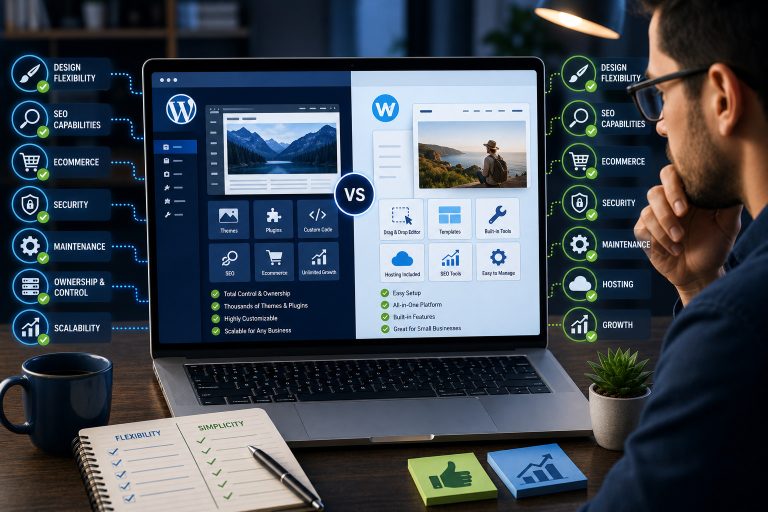
The main difference is not the WordPress editing experience itself. The biggest difference is who provides and manages the website hosting.
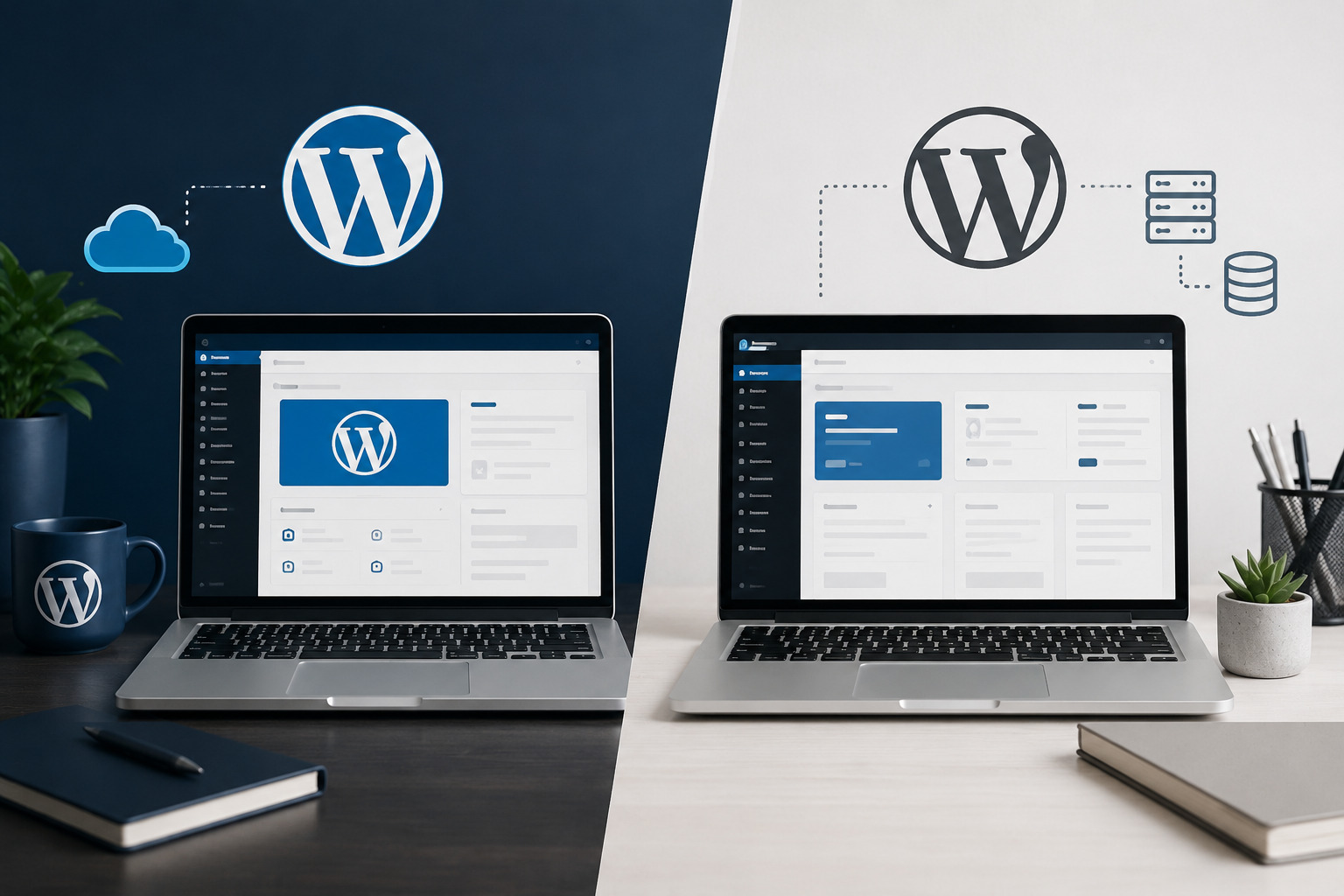
WordPress.com is a commercial hosted service operated by Automattic. You create an account, choose a plan and build your website on infrastructure managed by WordPress.com. Hosting is included, and the company handles many technical responsibilities behind the scenes.
WordPress.org is the official website for the open-source WordPress software. WordPress.org does not normally host your public business website for you. Instead, you obtain hosting from a separate hosting company and install WordPress on that account.
This is why WordPress.org is commonly described as “self-hosted WordPress.” Self-hosted does not usually mean that you purchase and physically operate your own server. It means that you are responsible for arranging the hosting environment rather than receiving it as part of the WordPress.com service.
WordPress.com
A managed WordPress service where hosting, platform updates and many security responsibilities are included within one account.
WordPress.org
The source of the free WordPress software, which you install through a hosting provider that you select and manage.
What Is WordPress.com?
WordPress.com is a hosted website-building platform powered by WordPress software. It allows you to create a website without first purchasing an external hosting package or manually installing WordPress.
When you open a WordPress.com account, the service provides a website address, hosting, a dashboard, design tools and built-in features. You can begin with a free plan or upgrade to a paid plan for additional storage, design options, domains, plugins and business features.
Because WordPress.com manages the hosting environment, users do not need to configure a database, install server software or manage the WordPress core installation manually.
What WordPress.com manages for you
Depending on your plan and setup, WordPress.com handles or provides much of the following:
- Website hosting
- WordPress core updates
- Server management
- Platform-level security
- Performance infrastructure
- SSL certificates
- Built-in website statistics and tools
- Technical support options
- Backups and additional developer tools on qualifying plans
This managed approach can be attractive to bloggers, creators and business owners who prefer not to coordinate hosting, security and software updates through several different companies.
WordPress.com is not only for blogs
Although WordPress.com has a strong history as a blogging platform, it can now support business websites, portfolios, membership content, online stores and other projects. The features available depend on the plan and the plugins or tools being used.
Paid WordPress.com plans currently support plugin installation, while free sites use a curated collection of built-in functionality. This means some older comparisons claiming that WordPress.com users can never install plugins are now outdated.
What Is WordPress.org?
WordPress.org is the official home of the free, open-source WordPress software. The software can be installed on a compatible hosting account and used to create blogs, business websites, stores, membership platforms, directories, learning websites and other digital products.
You can often install WordPress directly from your hosting provider’s control panel. Many hosts provide a one-click installation process, while managed WordPress hosting providers may supply WordPress preinstalled.
After installation, you control the WordPress dashboard and can choose your own themes, plugins, optimisation tools and development approach.
What you are responsible for with WordPress.org
A self-hosted WordPress website normally requires you or your website professional to manage:
- The hosting account
- The domain name
- WordPress installation and configuration
- Software updates
- Theme and plugin compatibility
- Backups
- Website security
- Performance optimisation
- Email delivery configuration
- Troubleshooting and technical maintenance
Some managed hosting companies will handle part of this work. However, the website owner remains responsible for selecting reliable providers and ensuring the website is maintained properly.
WordPress.com vs WordPress.org: Quick Comparison
| Feature | WordPress.com | WordPress.org |
|---|---|---|
| Platform type | Hosted WordPress service | Open-source WordPress software |
| Hosting | Included and managed by WordPress.com | Purchased separately from a hosting provider |
| Starting cost | Free plan available, with optional paid plans | Software is free, but hosting and a domain usually cost money |
| Setup | Create an account and begin building | Arrange hosting, connect a domain and install WordPress |
| Plugins | Installable on paid plans; free plan uses built-in features | Plugins can generally be installed without platform-plan restrictions |
| Themes | Access depends on available themes and plan features | Free, premium and custom themes can be installed |
| Maintenance | Many technical tasks are managed by WordPress.com | You or your provider manage updates, security and backups |
| Server access | Controlled within the WordPress.com managed environment | Access depends on your chosen hosting provider and plan |
| Custom development | Possible, but capabilities depend on the plan and platform environment | Extensive freedom to modify code and server configuration |
| Support | Documentation and direct support options on paid plans | Community support plus support from your host, developer or vendors |
| Best suited for | Users who prefer an integrated, managed WordPress service | Users who want greater hosting choice and technical control |
Hosting Differences
Hosting is the most important distinction between WordPress.com and WordPress.org.
WordPress.com hosting
WordPress.com includes hosting with every site. You do not need to purchase a separate hosting plan or manually configure a server.
Your website operates on WordPress.com’s infrastructure, and the platform is responsible for maintaining the core hosting environment. This reduces the number of technical decisions required during setup.
The disadvantage is that you cannot treat the hosting environment exactly like an unrestricted hosting account. Access to server-level tools, developer features and advanced functionality depends on the WordPress.com plan and platform policies.
WordPress.org hosting
With WordPress.org, you select the hosting company. This gives you the opportunity to compare storage, speed, server locations, support, backups, staging tools, email services and renewal pricing.
You may choose shared hosting for a small website, managed WordPress hosting for greater convenience, cloud hosting for scalability or a virtual private server for more technical control.
The quality of the finished website can vary significantly depending on the hosting provider. A WordPress website installed on unreliable or overloaded hosting may experience slow loading, downtime or limited support.
Hosting result
WordPress.com is simpler because hosting is already included. WordPress.org gives you greater choice, but choosing and managing the hosting environment becomes your responsibility.
WordPress.com vs WordPress.org Pricing
Both options can be described as free in some contexts, but a professional website normally involves costs regardless of the route you choose.
WordPress.com costs
WordPress.com offers a free plan that can be used to create a basic website. A free site normally uses a WordPress.com subdomain unless you upgrade and connect a custom domain.
Paid plans add different levels of storage, design control, plugins, themes, marketing tools, developer features, monetisation and e-commerce capabilities.
The main advantage is that hosting and many platform services are bundled together. This can make budgeting easier because you are paying one primary provider.
WordPress.org costs
The WordPress software from WordPress.org is free to download and use. However, you will normally pay for:
- A domain name
- Web hosting
- Premium themes, if required
- Premium plugins or extensions
- Professional design or development
- Security and backup services
- Website maintenance
- Business email
A basic self-hosted website can be affordable, but costs increase when the website requires premium tools, e-commerce, memberships, bookings, custom development or higher-performance hosting.
Which option is cheaper?
WordPress.com may be more predictable because several services are bundled into one plan. WordPress.org can be cheaper or more expensive depending on the hosting provider and the tools you choose.
Do not compare only introductory prices. Check regular renewal costs, storage limits, plugin licences, transaction fees, support and what happens when the website grows.
Pricing result: It depends
WordPress.com offers simpler bundled pricing. WordPress.org gives you more freedom to control individual expenses, but the total cost depends heavily on your hosting, plugins and maintenance requirements.
Domain Names
A domain name is the address visitors use to reach your website, such as yourbusiness.com.
Domains on WordPress.com
A free WordPress.com site can use an address that includes wordpress.com. To use a professional custom domain, you will generally need a qualifying paid plan.
WordPress.com allows users to register a domain, connect a domain they already own or transfer an existing domain to the platform.
Domains with WordPress.org
With self-hosted WordPress, you can register your domain through your hosting provider or a separate domain registrar.
You remain responsible for domain renewals, nameserver settings, DNS records and ensuring that the domain continues pointing to the correct hosting account.
Keeping the domain and hosting with separate providers can provide flexibility, but it also means managing more than one account.
Themes and Website Design
WordPress themes control the appearance and structural presentation of a website. Both WordPress.com and self-hosted WordPress use themes, but the way you access and manage them may differ.
Themes on WordPress.com
WordPress.com provides a collection of free and premium themes. Available design features and premium themes may depend on your plan.
You can use the WordPress Site Editor, patterns, blocks and style settings to customise compatible themes. More advanced customisation may require an appropriate paid plan.
Themes with WordPress.org
Self-hosted WordPress gives you access to the official WordPress theme directory, commercial theme marketplaces and custom themes developed specifically for your organisation.
You can install themes, create child themes, edit code and replace the theme without being tied to one hosting company.
However, not every theme is well built. A badly coded or abandoned theme can create security, compatibility and performance problems.
Design result
Both options can create professional websites. WordPress.org generally provides greater freedom to install, modify and develop themes without depending on a platform plan.
Plugins and Website Functionality
Plugins extend WordPress beyond its core publishing features. They can add contact forms, SEO tools, e-commerce, bookings, memberships, online courses, multilingual content and thousands of other functions.
Plugins on WordPress.com
WordPress.com currently permits plugin installation on its paid plans. The free plan provides built-in functionality rather than unrestricted plugin installation.
This is an important change because many older articles still claim that plugins are available only on the most expensive WordPress.com plans. Always check the current plan details before purchasing because included tools and limitations can change.
Even when plugin installation is available, the site still operates within WordPress.com’s managed environment and must follow its technical and usage policies.
Plugins with WordPress.org
Self-hosted WordPress allows you to install plugins from the official WordPress plugin directory, commercial vendors or custom developers.
This provides extensive flexibility, but it also creates responsibility. You must select reputable plugins, keep them updated and avoid installing multiple tools that perform the same function.
Too many poorly chosen plugins can increase security risks, slow the website or create compatibility conflicts.
Avoid outdated comparisons
It is no longer accurate to say that WordPress.com never allows plugins. Current paid WordPress.com plans support plugin installation, while free-plan sites rely on built-in features.
Plugin result
Both options can now support plugins under the appropriate setup. WordPress.org still gives you greater independence over plugin sources, server configuration and advanced custom development.
Ownership and Technical Control
The word “ownership” can be confusing because both WordPress.com and WordPress.org users generally retain ownership of the original content they publish. The practical difference is the level of control you have over the hosting environment and website files.
Control on WordPress.com
Your site operates within WordPress.com’s infrastructure. You manage the content, design and available features through the platform, but server-level access and technical capabilities depend on the service and plan.
You must follow WordPress.com’s terms, acceptable-use rules and technical limitations.
Control with WordPress.org
With self-hosted WordPress, you normally have access to website files, the database and hosting tools provided by your host.
You can move the website to another compatible host, change server configurations, install custom code and work with any developer.
You are still subject to your hosting provider’s terms, domain registrar policies and any software licences you use. Self-hosted does not mean there are no external providers involved.
Control winner: WordPress.org
Self-hosted WordPress generally provides greater control over files, databases, hosting choices and custom development.
Maintenance, Updates and Security
Every website requires maintenance. The difference is whether the platform handles most of it or whether responsibility is divided between you, your host and your developer.
WordPress.com maintenance
WordPress.com handles the core hosting environment and WordPress software updates. This reduces the risk of a site owner ignoring important core maintenance.
Depending on your plan, WordPress.com may also provide backups, activity logs, security tools and additional developer features.
You must still maintain strong passwords, control user permissions, update content, renew the domain and manage third-party tools responsibly.
WordPress.org maintenance
With self-hosted WordPress, you are responsible for ensuring that WordPress core, themes and plugins are updated.
You also need a reliable backup strategy, security monitoring, performance optimisation and a plan for resolving software conflicts.
Many managed WordPress hosts automate part of this work, but you should never assume that every backup, update or security issue is being handled unless the service clearly confirms it.
Maintenance is not optional
A self-hosted WordPress website should not be left without updates, backups and monitoring. Greater control creates greater responsibility.
Maintenance winner: WordPress.com
WordPress.com is generally easier for users who do not want to manage hosting and core software. WordPress.org provides greater control but requires a proper maintenance plan.
WordPress.com vs WordPress.org for SEO
Both options can support search engine optimisation. Google does not automatically rank a website higher merely because it uses WordPress.com or WordPress.org.
Rankings depend on content quality, search intent, website structure, technical performance, authority, competition and user experience.
SEO on WordPress.com
WordPress.com provides search-friendly publishing tools and additional SEO features depending on the selected plan. Paid plans that support plugins can also use compatible SEO plugins.
The managed infrastructure can reduce some technical performance responsibilities, but your control over server-level optimisation remains tied to the platform.
SEO with WordPress.org
Self-hosted WordPress allows you to choose SEO plugins, configure redirects, modify schema, control caching and make server-level performance changes where the host permits them.
This greater flexibility can support advanced SEO work, but it does not guarantee better rankings. Poor hosting, heavy themes and badly configured plugins can damage performance.
SEO result
Both platforms can support strong SEO. WordPress.org generally offers more technical flexibility, while WordPress.com provides a more managed environment with SEO capabilities that vary by plan.
Monetisation and E-Commerce
Both WordPress.com and WordPress.org can be used to make money online, but the tools, costs and platform conditions differ.
Monetising WordPress.com
WordPress.com supports several monetisation methods, including paid content, memberships, sponsored posts, affiliate links, advertising and online selling. Available features depend on your plan and the platform’s policies.
Users who need e-commerce or advanced monetisation should carefully compare the current plans, transaction fees and plugin support.
Monetising WordPress.org
Self-hosted WordPress allows you to choose advertising networks, affiliate systems, membership plugins, payment gateways and e-commerce tools such as WooCommerce.
This gives you flexibility, but you must configure payments, security, taxes, backups and compliance requirements yourself or with professional support.
Monetisation result
WordPress.com offers convenient built-in and plan-based monetisation options. WordPress.org provides greater freedom to select independent tools and payment systems.
Customer Support
WordPress.com support
WordPress.com provides documentation and support options. Paid plans include access to expert support, while the exact communication channels and response options may vary.
Because WordPress.com manages the hosting platform, its support team can investigate issues related to the website environment directly.
WordPress.org support
WordPress.org provides community documentation and support forums, but it is not a commercial hosting help desk for your individual website.
For a self-hosted website, assistance may come from:
- Your hosting provider
- Your theme developer
- Your plugin vendor
- A WordPress maintenance company
- Your website designer or developer
- The WordPress community forums
The challenge is that responsibility can be divided. A host may say the problem is caused by a plugin, while the plugin developer may say the problem is related to the hosting environment.
Support result
WordPress.com provides a more centralised support relationship. WordPress.org support is distributed among your host, software vendors, developer and the wider community.
Migration and Website Portability
Your website requirements may change, so it is important to understand how easily your content and website can be moved.
Moving from WordPress.com
WordPress.com provides export and migration options. Depending on the destination and plan, you can export content or use migration tools to move to another WordPress host.
However, some platform-specific designs, settings, subscriptions or features may require additional configuration after the move.
Moving a WordPress.org website
A self-hosted WordPress website can usually be migrated from one compatible hosting provider to another by transferring its files and database.
Many hosting providers and migration plugins offer tools to simplify the process. Complex websites may still require professional migration, testing and DNS changes.
Portability result
Both options allow migration, but self-hosted WordPress generally provides more direct control over the complete website files and database.
WordPress.com and WordPress.org Pros and Cons
WordPress.com pros and cons
WordPress.com advantages
- Hosting is included
- Free plan available
- Simple initial setup
- Core software is managed
- Platform-level security is handled for you
- Centralised dashboard and support
- Plugins are available on paid plans
- Suitable for users who prefer less technical responsibility
WordPress.com disadvantages
- Advanced features depend on the selected plan
- Less freedom over the hosting environment
- Free sites have notable limitations
- Custom domains generally require a paid plan
- Platform policies and restrictions apply
- Some developer tools require higher plans
- Long-term costs may increase as requirements grow
WordPress.org pros and cons
WordPress.org advantages
- Open-source WordPress software
- Freedom to select a hosting provider
- Greater access to files and database
- Extensive themes and plugins
- Advanced custom-development options
- Greater control over SEO and performance
- Flexible e-commerce and membership options
- Easier to change hosting providers
WordPress.org disadvantages
- Hosting must be purchased separately
- Initial setup involves more decisions
- Updates and backups must be managed
- Security becomes your responsibility
- Plugin conflicts may occur
- Support can be divided among several providers
- Complex projects may require professional help
- Costs can become unpredictable without planning
Who Should Choose WordPress.com or WordPress.org?
Choose WordPress.com when you want:
- Hosting included with the website platform
- A simple and guided setup
- Less server and software maintenance
- Centralised technical support
- A personal blog or portfolio
- A straightforward small-business website
- A managed WordPress experience
- The option to upgrade as your needs grow
Choose WordPress.org when you want:
- Freedom to choose your hosting company
- Greater access to files and database
- Advanced custom design and functionality
- Custom e-commerce features
- A membership or online-learning platform
- Advanced SEO and performance control
- Custom integrations and development
- A website that can move between hosts
Final Verdict: Which One Is Better?
WordPress.com and WordPress.org both use WordPress, but they provide different levels of convenience, control and responsibility.
WordPress.com is the better option for people who want a managed service. Hosting is included, the technical environment is maintained and support is more centralised.
WordPress.org is the better option for people who want greater control over hosting, files, plugins, custom development and long-term technical decisions.
A personal blogger, freelancer or small business with straightforward requirements may find WordPress.com easier to manage. A business that needs custom integrations, advanced e-commerce, memberships, online courses or complete hosting freedom may prefer self-hosted WordPress.
Neither choice is automatically more professional. The quality of the website depends on its design, content, performance, maintenance and how well the platform matches the project.
Our recommendation
Choose WordPress.com for convenience and managed hosting. Choose WordPress.org for flexibility, hosting choice and advanced technical control. Before deciding, list the features your website needs now and what it may require within the next three years.
Frequently Asked Questions
Are WordPress.com and WordPress.org the same company?
No. WordPress.org is the home of the open-source WordPress software and community project. WordPress.com is a commercial hosted service operated by Automattic that uses WordPress software.
Is WordPress.org completely free?
The WordPress software is free and open source, but you normally need to pay for website hosting and a domain name. You may also pay for themes, plugins, maintenance or professional services.
Does WordPress.com include hosting?
Yes. Hosting is included with WordPress.com sites, including its free and paid plans.
Can I install plugins on WordPress.com?
Yes. WordPress.com currently supports plugin installation on its paid plans. The free plan uses a curated collection of built-in features instead of unrestricted plugin installation.
Can I use my own domain on WordPress.com?
Yes. You can register, transfer or connect a custom domain to WordPress.com with a qualifying paid plan.
Which option is better for a business website?
WordPress.com may suit a business that values managed hosting and simplicity. WordPress.org may suit a business that needs custom features, hosting freedom and greater technical control.
Which option is better for SEO?
Both can support SEO. WordPress.org generally provides more technical control, while WordPress.com provides a managed environment with SEO capabilities that depend on the plan and installed tools.
Can I move from WordPress.com to WordPress.org?
Yes. You can export or migrate a WordPress.com website to a self-hosted WordPress installation. Some designs and platform-specific features may need to be reconfigured.
Does WordPress.org provide customer support?
WordPress.org provides documentation and community forums. Direct commercial support normally comes from your hosting provider, theme or plugin vendors, developer or maintenance company.
Which option gives me more control?
Self-hosted WordPress from WordPress.org generally provides more control over the hosting environment, files, database, plugins and custom development.
Need Help Choosing the Right WordPress Setup?
The wrong hosting or website setup can create unnecessary costs, limitations and maintenance problems. Teemikemedia Agency helps businesses choose, design and develop professional WordPress websites based on their goals, required features and long-term growth plans.
Official references
This comparison was prepared using current information from the official WordPress.com and WordPress.org websites. Platform plans and features may change, so confirm current pricing and feature availability before purchasing.