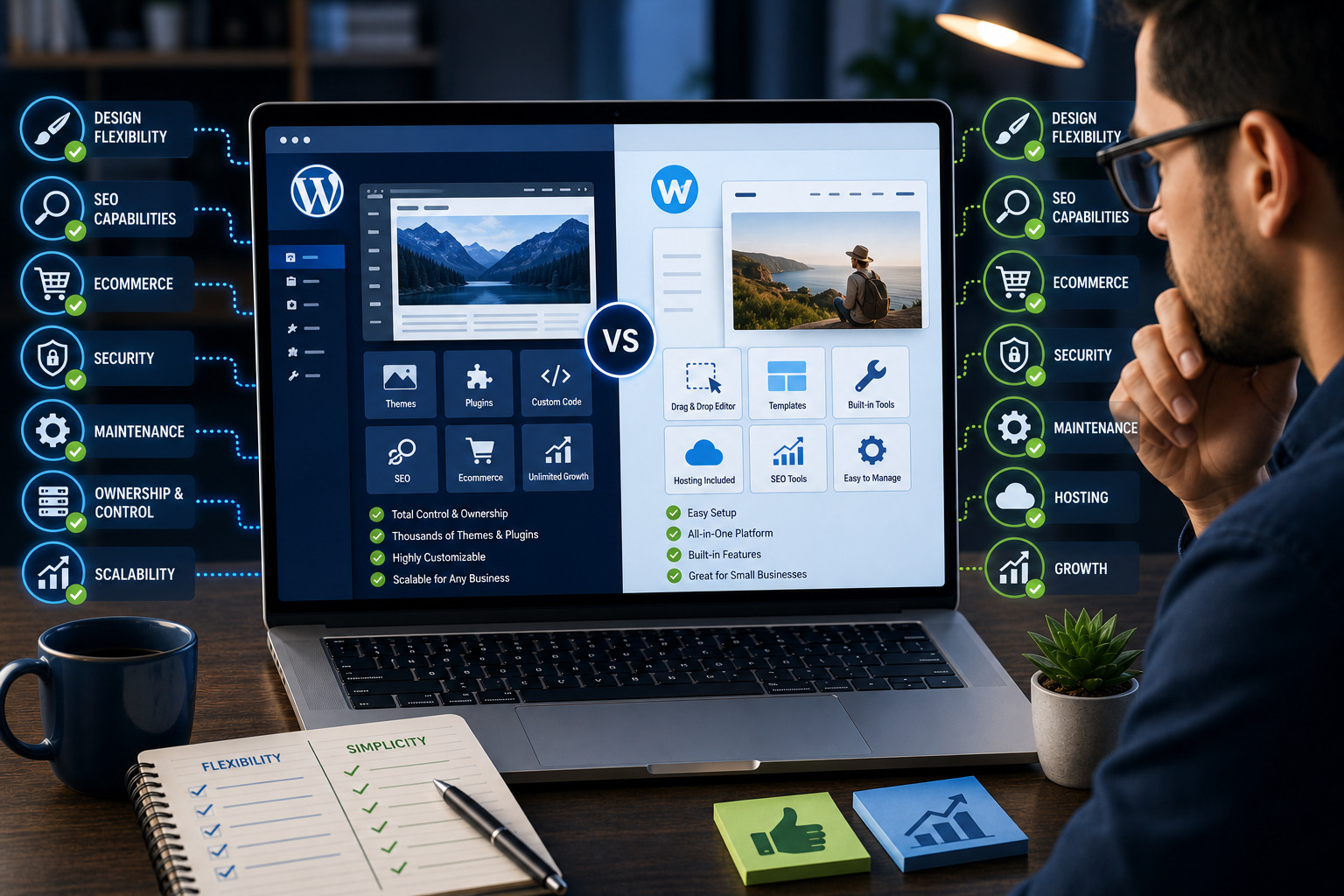

Choosing between WordPress vs Wix for small businesses depends on how quickly you want to launch, how much control you need and how complex the website may become in the future.
Wix is an all-in-one hosted website builder designed to simplify design, hosting, security and everyday website management. WordPress is a flexible content-management system that can be installed on your preferred hosting and extended through themes, plugins and custom development.
Both platforms can support professional business websites, blogs, appointment systems and online stores. However, they approach website ownership, maintenance, design and scalability differently.
This guide compares WordPress and Wix across ease of use, pricing, design freedom, SEO, ecommerce, security, maintenance, ownership and long-term business growth.
Quick answer
Wix is generally better for small businesses that want a simple all-in-one platform with hosting and built-in tools managed in one dashboard. WordPress is generally better for businesses that want greater ownership, advanced customisation, broader integrations and the ability to scale beyond the limits of a closed website builder.
WordPress can mean two different services
This comparison primarily discusses self-hosted WordPress from WordPress.org. WordPress.com is a managed hosted service with its own plans, features and restrictions, so it should not be confused with a self-hosted WordPress installation.
WordPress and Wix: Platform Overview
What is WordPress?
WordPress is an open-source content-management system used to create blogs, company websites, online stores, directories, learning platforms, membership websites and many other types of digital experiences.
With self-hosted WordPress, the business chooses a hosting provider, installs WordPress and controls the website’s themes, plugins, content and technical configuration.
What is Wix?
Wix is a hosted website-building platform that combines the website editor, hosting, security, templates and business tools within one managed service.
Users can create pages visually, select built-in features and manage the website through Wix without arranging a separate traditional hosting account.
The main difference
Wix focuses on convenience and centralised management. WordPress focuses on flexibility, extensibility and control.
Simple explanation
Wix provides the website builder and hosting as one controlled service. WordPress lets you build on an open platform while choosing the hosting, tools and development approach.
WordPress vs Wix for Small Businesses: Quick Comparison
| Area | WordPress | Wix |
|---|---|---|
| Ease of setup | Requires hosting and initial configuration | All-in-one guided setup |
| Ease of use | Moderate learning curve | Beginner friendly |
| Design control | Very flexible | Strong visual editor within platform limits |
| Plugins and apps | Very large plugin ecosystem | Wix App Market and built-in tools |
| Hosting choice | Choose and change hosting providers | Hosting included and managed by Wix |
| Technical maintenance | Owner or developer manages it | Much of the infrastructure is managed |
| SEO | Advanced control through core tools and plugins | Strong built-in SEO tools |
| Ecommerce | Highly expandable through ecommerce plugins | Integrated ecommerce plans and tools |
| Ownership and portability | Greater control over files, database and hosting | Website remains within the Wix ecosystem |
| Best for | Growth, custom functionality and long-term flexibility | Fast setup and simpler management |
1. Which Platform Is Easier to Use?
Wix ease of use
Wix is designed to make website creation accessible to people without technical experience.
The platform provides:
- Visual drag-and-drop editing
- Ready-made templates
- AI-assisted website creation
- Built-in hosting
- Integrated business tools
- Centralised website management
A small-business owner can begin building without first learning about hosting accounts, databases, themes or plugin compatibility.
WordPress ease of use
WordPress requires more initial decisions.
You may need to choose:
- A hosting provider
- A domain registrar
- A theme
- A page-building approach
- Plugins
- A backup system
- A security solution
Once the website is configured correctly, everyday tasks such as publishing posts and editing pages can be straightforward. However, maintenance and troubleshooting may require more technical understanding.
Ease-of-use winner
Wix wins for ease of use, especially for beginners who want one company to manage the platform and hosting.
2. Setup and Web Hosting
Wix hosting
Wix includes website hosting as part of its platform. Users do not normally select or manage a separate traditional hosting provider.
This simplifies:
- Initial setup
- Server management
- Platform updates
- SSL configuration
- Infrastructure security
- Technical compatibility
WordPress hosting
Self-hosted WordPress requires a hosting account.
This creates more responsibility, but it also gives the business more choice.
You can select hosting based on:
- Budget
- Expected traffic
- Server location
- Performance
- Backups
- Security
- Customer support
- Scalability
Changing hosting providers
A self-hosted WordPress website can normally be migrated to another compatible host when the current provider no longer meets the business’s needs.
Wix websites remain hosted within Wix because the editor and infrastructure are part of the same service.
Setup winner
Wix wins for simplicity. WordPress wins for hosting choice and infrastructure control.
3. Design Freedom and Customisation
Wix design options
Wix provides a visual editor, industry templates and built-in design features.
It works well for businesses that want to control page layouts without writing code.
Users can customise:
- Colours
- Typography
- Sections
- Images
- Animations
- Menus
- Mobile layouts
WordPress design options
WordPress supports thousands of themes and several editing approaches.
A website can be built with:
- The native WordPress block editor
- A block theme
- A traditional theme
- A page-builder plugin
- A custom-coded theme
- A headless front end
Developers can modify templates, styles, functions and database-connected features more extensively than is normally possible within a closed builder.
Design limitations
Wix provides significant visual freedom, but custom development must work within the platform’s supported framework.
WordPress can support deeper customisation, but poor development choices can make the website difficult to maintain.
Design winner
WordPress wins for advanced customisation. Wix may be easier for a business owner making visual changes without technical support.
4. Features, Plugins and Integrations
WordPress plugins
Plugins extend WordPress functionality.
They can add:
- Contact forms
- SEO tools
- Ecommerce
- Memberships
- Learning management
- Bookings
- Directories
- Multilingual content
- Marketing automation
- Customer portals
The large ecosystem is one of WordPress’s strongest advantages.
Wix apps and built-in tools
Wix provides built-in business features and an App Market containing additional integrations.
Businesses can add tools for:
- Forms
- Bookings
- Online stores
- Events
- Restaurants
- Marketing
- Analytics
- Live chat
- Memberships
Quality matters
More extensions do not automatically produce a better website.
On WordPress, installing too many poorly maintained plugins can create security, compatibility and performance problems.
On Wix, the available integration may not support every advanced or unusual business requirement.
Features winner
WordPress wins for breadth and custom development. Wix wins when the business’s requirements are already supported by its built-in tools.
5. WordPress vs Wix for SEO
Both WordPress and Wix can support search-engine optimisation.
Wix SEO capabilities
Wix provides built-in tools for managing areas such as:
- SEO titles
- Meta descriptions
- URL settings
- Structured data
- XML sitemaps
- Redirects
- Image alt text
- Search Console connection
- SEO setup guidance
WordPress SEO capabilities
WordPress provides a search-friendly publishing foundation and can be extended using SEO plugins.
Depending on the setup, businesses can control:
- Titles and descriptions
- Canonical URLs
- Schema markup
- Redirects
- Sitemaps
- Robots directives
- Breadcrumbs
- Archive indexing
- Advanced content types
What actually affects SEO?
The platform alone does not guarantee rankings.
Search performance also depends on:
- Content quality
- Search intent
- Website structure
- Internal links
- Mobile usability
- Website speed
- Backlinks
- Technical configuration
SEO winner
WordPress wins for advanced SEO control and highly customised websites. Wix provides enough built-in SEO capability for many small-business websites.
Do not choose a platform based only on an SEO plugin
An SEO plugin or dashboard can help configure a website, but it cannot replace useful content, good structure and a strong business strategy.
6. Blogging and Content Publishing
WordPress blogging
WordPress began as a publishing platform and remains well suited to content-heavy websites.
It provides:
- Posts and pages
- Categories and tags
- Authors and user roles
- Scheduled publishing
- Revisions
- Media management
- Custom post types
- Editorial plugins
Wix blogging
Wix includes blogging features suitable for company news, tutorials, announcements and regular content marketing.
It provides a simplified publishing experience within the same website dashboard.
Blogging winner
WordPress wins for large publications, advanced categorisation and customised editorial workflows. Wix is suitable for simpler small-business blogs.
7. Ecommerce and Online Selling
Wix ecommerce
Wix provides integrated ecommerce functionality through eligible business plans.
Depending on the plan and market, features may include:
- Product management
- Online payments
- Inventory
- Orders
- Shipping
- Discounts
- Customer accounts
- Multichannel selling
WordPress ecommerce
WordPress ecommerce is normally added through a plugin.
This can support:
- Physical products
- Digital products
- Subscriptions
- Memberships
- Marketplace functionality
- Wholesale systems
- Custom checkout processes
- Advanced shipping rules
Complexity and maintenance
Wix can be easier to configure because the store and hosting are managed within one ecosystem.
WordPress offers greater expansion potential, but the business must manage hosting, plugin compatibility, security, backups and performance.
Ecommerce winner
Wix is often easier for a straightforward small store. WordPress is usually better for businesses expecting complex ecommerce requirements or significant customisation.
8. Bookings and Service Businesses
Wix bookings
Wix provides integrated booking tools for appointments, classes and services.
This can be useful for:
- Consultants
- Coaches
- Beauty professionals
- Fitness businesses
- Service providers
- Training businesses
WordPress booking systems
WordPress offers many booking plugins with different approaches to:
- Staff schedules
- Locations
- Payments
- Recurring appointments
- Calendar synchronisation
- Custom form fields
- Notifications
Bookings winner
Wix is convenient when its built-in booking workflow matches the business. WordPress offers more choice for complex scheduling requirements.
9. Website Speed and Performance
Wix performance
Wix manages the hosting infrastructure and platform-level optimisation.
The business does not control the server in the same way as it would with self-hosted WordPress.
Performance can still be affected by:
- Large images
- Animations
- Videos
- Third-party apps
- Complex page layouts
WordPress performance
WordPress performance depends heavily on:
- Hosting quality
- Theme
- Plugins
- Images
- Caching
- Database condition
- CDN configuration
- Developer decisions
A well-optimised WordPress website can perform very well. A poorly configured WordPress website can become extremely slow.
Performance winner
There is no automatic winner. Wix offers managed consistency, while WordPress offers more control over the complete performance stack.
10. Website Security
Wix security
Wix manages much of the platform infrastructure, software environment and hosting security.
This reduces the number of technical security tasks placed directly on the business owner.
Users are still responsible for:
- Strong passwords
- Account security
- User permissions
- Safe integrations
- Protecting business email
WordPress security
With self-hosted WordPress, the owner or maintenance provider is responsible for:
- Software updates
- Plugin and theme quality
- Backups
- Firewall configuration
- Malware monitoring
- User access
- Hosting security
Security winner
Wix is easier for businesses that do not want to manage technical security. WordPress can be highly secure when it is maintained properly.
11. Ongoing Website Maintenance
Wix maintenance
Wix handles the underlying platform and hosting updates.
The business still needs to maintain:
- Content
- Forms
- Apps
- SEO
- Business information
- User permissions
- Customer journeys
WordPress maintenance
WordPress requires a broader maintenance plan covering:
- Core updates
- Plugin updates
- Theme updates
- Backups
- Security
- Database optimisation
- Hosting
- Performance
Maintenance winner
Wix wins for lower technical maintenance. WordPress gives more control but requires more active management.
12. Website Ownership and Control
WordPress control
With self-hosted WordPress, the business can normally access:
- Website files
- Database
- Theme code
- Plugin files
- Hosting configuration
- Backups
The website can usually be moved to another compatible hosting provider.
Wix control
Businesses own their original content, but the website is built and hosted within Wix’s proprietary platform.
The full Wix website cannot normally be exported and hosted elsewhere in the same way as a self-hosted WordPress installation.
Ownership winner
WordPress wins for infrastructure control and portability.
13. Migration and Platform Portability
Moving WordPress
A WordPress website can generally be migrated between compatible hosting providers while retaining its files, database, theme and plugins.
Moving from Wix
Content may need to be exported where supported or manually transferred into another platform.
A complete visual Wix website cannot simply be downloaded and installed on an unrelated hosting account.
Before choosing
Consider whether the business may later require:
- A different host
- Custom server technology
- A specialised developer
- A complex customer portal
- Advanced ecommerce
- Custom database functionality
Portability winner
WordPress wins.
14. WordPress vs Wix Cost
Wix costs
Wix costs are generally based on a platform subscription.
The required plan depends on:
- Custom-domain connection
- Storage
- Business features
- Ecommerce
- Payments
- Marketing features
- Additional apps
WordPress costs
WordPress software itself is open-source, but a complete website may require payment for:
- Domain
- Hosting
- Premium theme
- Premium plugins
- Security
- Backups
- Maintenance
- Professional development
Which is cheaper?
A simple Wix website may have more predictable costs because the main platform services are bundled together.
A simple WordPress website can be inexpensive, but advanced functionality and professional maintenance can increase the total cost.
WordPress may provide greater value when the business requires functionality that would otherwise be restricted by a hosted platform.
Compare total ownership cost
Do not compare only the starting subscription or hosting price. Include design, apps, plugins, maintenance, support, ecommerce fees and future development.
15. Customer Support
Wix support
Wix provides centralised platform support because it controls the editor, hosting and infrastructure.
This can make it easier to determine which provider should investigate a technical problem.
WordPress support
WordPress support may come from several sources:
- Hosting provider
- Theme developer
- Plugin developer
- WordPress community
- Website designer
- Maintenance agency
This offers choice, but identifying which component caused a problem can take more effort.
Support winner
Wix wins for centralised platform support. WordPress offers a much larger ecosystem of independent experts and service providers.
16. Scalability and Long-Term Growth
Wix scalability
Wix can support many growing small businesses, particularly when their needs align with the tools available within the platform.
Growth may become more difficult when the business requires highly specialised functionality outside the supported ecosystem.
WordPress scalability
WordPress can grow from a simple website into:
- An online store
- A membership platform
- A course website
- A directory
- A multilingual site
- A publication
- A custom customer portal
Successful scaling requires appropriate hosting, development and maintenance.
Scalability winner
WordPress wins for long-term flexibility and custom growth.
Who Should Choose Wix?
Wix may be the better option when:
- You want to launch quickly
- You prefer an all-in-one service
- You do not want to manage hosting
- You have limited technical experience
- Your required features already exist within Wix
- You want centralised platform support
- You need a straightforward brochure, portfolio or booking website
- You prefer predictable platform management
Best Wix customer
A small business that values convenience, visual editing and lower technical responsibility more than unrestricted customisation.
Who Should Choose WordPress?
WordPress may be the better option when:
- You want greater control over hosting
- You expect the website to grow significantly
- You require custom functionality
- You want broad plugin and integration choices
- You plan to publish substantial content
- You need advanced ecommerce
- You want easier hosting portability
- You have access to technical maintenance
- You need a highly customised design
Best WordPress customer
A business that values ownership, scalability and flexibility and is prepared to manage the additional technical responsibility.
How to Choose Between WordPress and Wix
Step 1: Define the website’s purpose
Decide whether the website is primarily for:
- Company information
- Lead generation
- Blogging
- Online selling
- Bookings
- Memberships
- Online courses
Step 2: List required features
Separate features into:
- Required at launch
- Required within one year
- Possible future requirements
Step 3: Assess technical capacity
Determine who will handle:
- Updates
- Backups
- Security
- Troubleshooting
- Content changes
Step 4: Compare long-term costs
Include subscriptions, hosting, premium tools, development and maintenance.
Step 5: Consider portability
Decide how important it is to change hosting providers or rebuild custom functionality later.
Step 6: Test both editors
Create a simple test page on each platform before committing to a long-term project.
Final Verdict: WordPress vs Wix for Small Businesses
In the WordPress vs Wix comparison for small businesses, neither platform is automatically best for every company.
Wix is an excellent option for businesses that want a managed all-in-one platform, visual editing and less technical maintenance. It can support professional business websites, ecommerce, bookings, blogs and marketing without requiring a separate hosting setup.
WordPress is the stronger option for businesses that want deeper control, advanced customisation, broad integration choices and long-term scalability. It requires more maintenance, but it provides significantly more freedom over hosting, files, databases and development.
For a straightforward small-business website that must launch quickly, Wix may be the practical choice.
For a website expected to become an important and highly customised business platform, WordPress is usually the better long-term investment.
Our recommendation
Choose Wix for simplicity and centralised management. Choose WordPress for ownership, customisation and scalable growth. Base the final decision on future business requirements—not only the easiest way to launch today.
Frequently Asked Questions
Is WordPress or Wix better for small businesses?
Wix is often better for simplicity and managed infrastructure, while WordPress is better for advanced customisation, ownership and long-term scalability.
Is Wix easier to use than WordPress?
Yes. Wix generally has an easier initial setup because its editor, hosting and business tools are managed within one platform.
Is WordPress better than Wix for SEO?
WordPress offers greater advanced SEO control through plugins and custom development, but Wix provides capable built-in SEO tools for many small-business websites.
Can Wix rank on Google?
Yes. Wix websites can rank when they provide helpful content, strong structure, good performance, relevant links and properly configured SEO settings.
Is WordPress more expensive than Wix?
It depends on hosting, premium plugins, development and maintenance. Wix may provide more predictable bundled costs, while WordPress costs vary widely.
Which is better for ecommerce, WordPress or Wix?
Wix is convenient for straightforward stores. WordPress is usually better for complex ecommerce, subscriptions, marketplaces and custom checkout requirements.
Which is better for blogging?
WordPress is generally stronger for large blogs, publications, advanced categories and customised editorial workflows.
Does Wix include hosting?
Yes. Wix hosting is built into the platform and is managed as part of the service.
Does WordPress include hosting?
Self-hosted WordPress does not include hosting. You select a separate hosting provider. WordPress.com is a different managed service that includes hosting.
Can I move a Wix website to WordPress?
Content can be transferred or recreated, but a complete Wix website cannot normally be exported and installed as a WordPress website without rebuilding it.
Can I move WordPress to another host?
Yes. A self-hosted WordPress website can generally be migrated to another compatible hosting provider.
Which platform requires less maintenance?
Wix requires less infrastructure maintenance because it manages the platform and hosting. WordPress requires updates, backups, security and hosting management.
Is Wix suitable for service businesses?
Yes. Wix can work well for consultants, coaches, salons, fitness businesses and other service providers using its forms and booking tools.
Is WordPress suitable for beginners?
Yes, but beginners may need guidance with hosting, plugins, backups, updates and security.
Which platform provides more design freedom?
WordPress provides deeper customisation through themes, plugins and code. Wix provides strong visual design tools within its managed platform.
Can I build a membership website with WordPress or Wix?
Both platforms support membership features. WordPress generally offers more options for advanced membership rules and custom integrations.
Which platform is better for long-term growth?
WordPress is usually better when significant custom functionality, hosting control or complex integrations may be required later.
Need Help Choosing Between WordPress and Wix?
Teemikemedia Agency designs professional WordPress and Wix websites and can recommend the best platform based on your goals, features, budget and long-term growth plans.